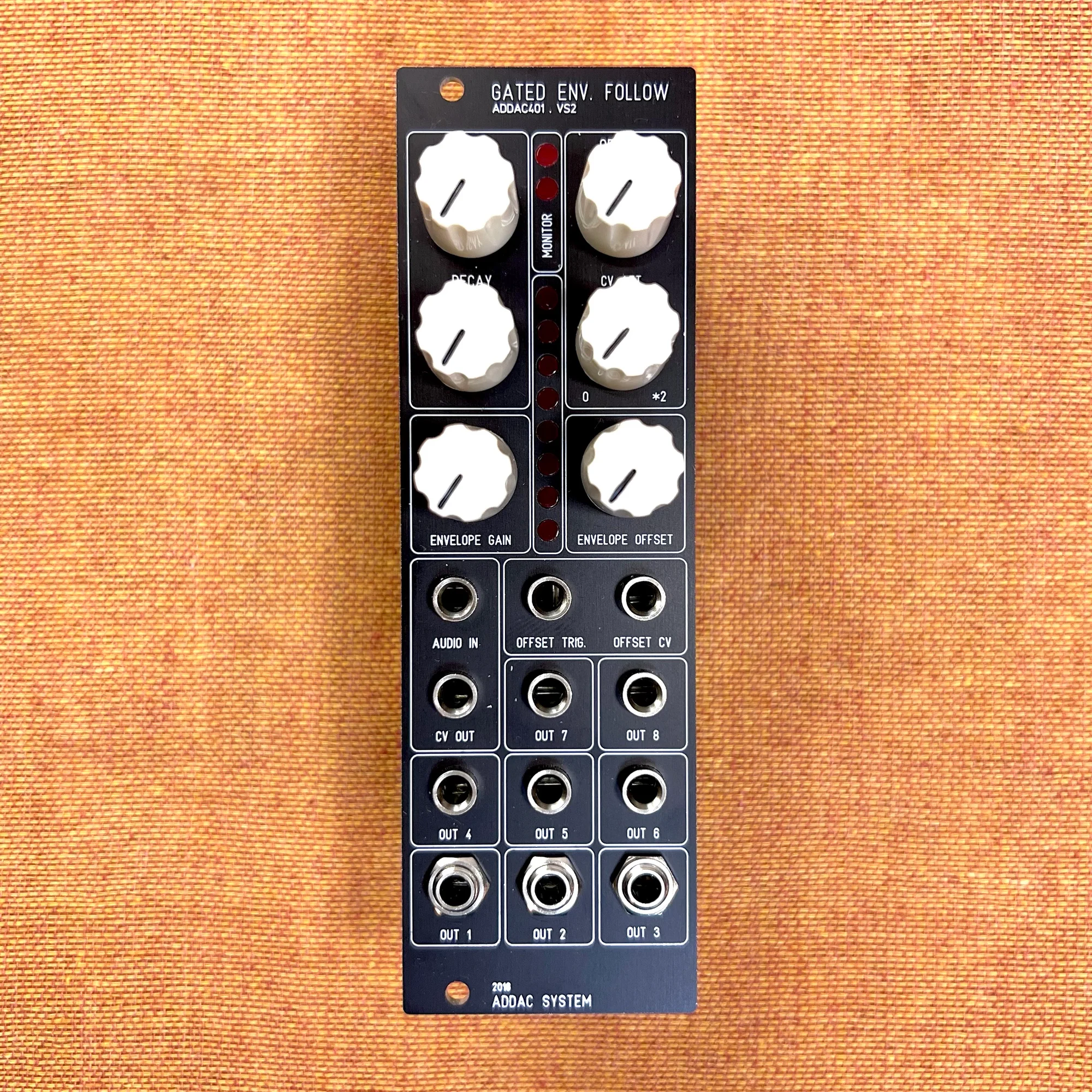
This is an introduction to the ADDAC401 Gated Envelope Follower VS2 by ADDAC System, available at Takazudo Modular.
The ADDAC401 is a module that combines standard envelope follower functionality with eight gate outputs. The eight gate output jacks produce gate CV corresponding to eight levels of the input audio signal — a unique feature.
This product is available for purchase below.
- Product Photos
- What Is an Envelope Follower?
- How to Use the ADDAC401 Gated Envelope Follower VS2
- Use Cases for Envelope Followers
- The Eight Gate Outputs
- Use Cases for the ADDAC401
- Technical Specifications
- Included Accessories
- Manual
Product Photos
What Is an Envelope Follower?
First, let’s explain what an envelope follower does.
An envelope follower is a function — and the module that provides it — that generates CV based on the level of an input audio signal. For example, imagine a four-on-the-floor kick drum pattern. The waveform of this kick drum would look roughly like this:

When you feed this signal into an envelope follower, it can output CV like the following:
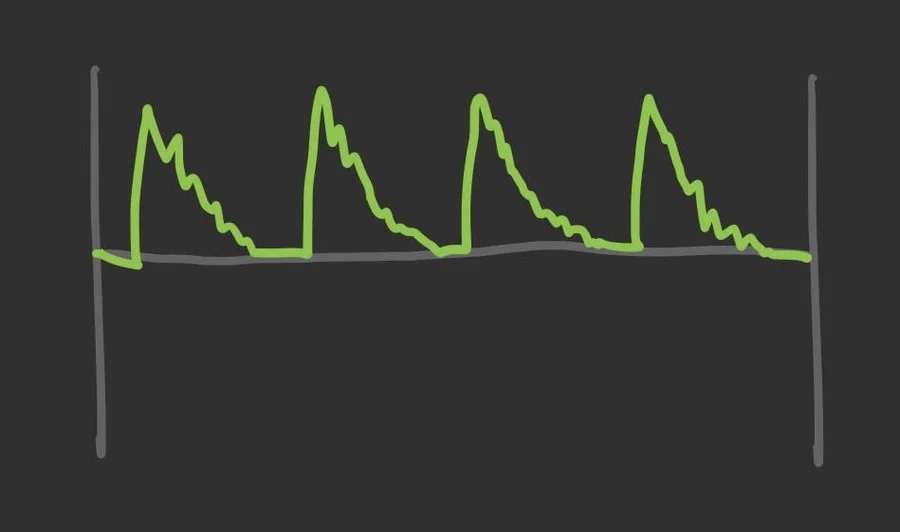
On the ADDAC401, the audio signal is received at the AUDIO IN jack, and the generated CV is output from the CV OUT jack.
This is the basic function of what is generally called an envelope follower (i.e., something that follows the envelope). The CV generated this way can be used however you like elsewhere in your system.
How to Use the ADDAC401 Gated Envelope Follower VS2
The CV produced can be adjusted using the knobs on the module. On the ADDAC401, you use the following four knobs to shape the CV you want:
LEVELknob: Adjusts the input audio levelDECAYknob: Adjusts the CV decay timeENVELOPE GAINknob: Adjusts the gain of the generated CVENVELOPE OFFSETknob: Adjusts the offset of the generated CV
Let’s briefly explain the role of each knob.
1. LEVEL Knob
The signal received at the AUDIO IN jack is first level-adjusted by this LEVEL knob. If the audio level being passed in is too low, it can be amplified; if too high, it can be reduced.

2. DECAY Knob
Next, the ADDAC401 converts the level-adjusted audio into CV, and during this process, you can adjust the decay time of the CV.
With DECAY set to a low value, the generated CV closely follows the original audio level, as shown on the left. With a higher value, decay time is applied to the CV generation, producing a smoother envelope.

Based on actual behavior, when a higher-voltage CV is being generated during the decay phase, the rise also appears to become more gradual.
3. ENVELOPE GAIN Knob
The CV generated this way can then have its gain adjusted via the ENVELOPE GAIN knob. The difference from the LEVEL adjustment in step 1 is whether you adjust before or after processing. At this stage, you can fine-tune the CV while taking the Decay processing from step 2 into account.

4. ENVELOPE OFFSET Knob
The gain-adjusted CV can finally have its voltage shifted upward using the ENVELOPE OFFSET knob.
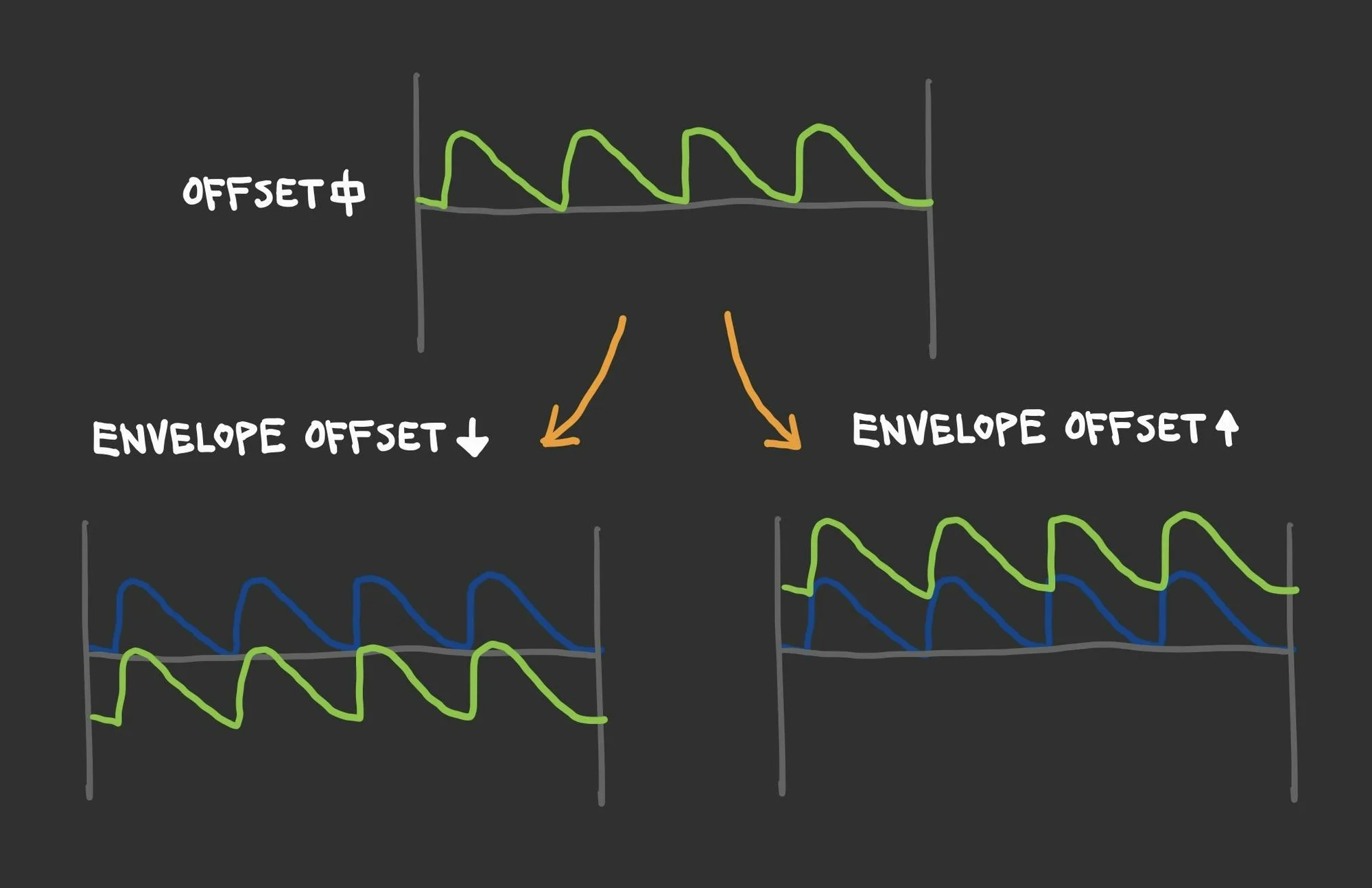
The overall flow can be thought of as: use LEVEL and DECAY to shape the CV you want, then use ENVELOPE GAIN and ENVELOPE OFFSET to adjust it so it’s easy to work with wherever you’re sending it.
That covers the basic operation of this module.
Use Cases for Envelope Followers
Since the explanation of an envelope follower alone might not immediately click for most people, let’s look at some practical applications.
Envelope Filter / Auto Wah
Among guitar effect pedals, there are effects called envelope filters or auto wah, which combine the envelope follower described above with a filter.
For example, the following video demonstrates guitar being played through an MXR M82 guitar effect pedal:
In this video, the first half features unprocessed guitar, while the second half lets you hear the effected sound. Compared to the first half, the second half has a distinctive “wah-wah” sound, like a low-pass filter with resonance applied.
This is because the effect pedal is varying the filter’s cutoff frequency according to the input audio level, and the resonance applied to the internal filter creates this characteristic sound.
This can be easily replicated with an ADDAC604 Dual Filter and the ADDAC401. Connect the CV generated by the ADDAC401 to the ADDAC604’s cutoff CV input, adjust the resonance and other parameters, and dial in the filter response you want. With this setup, you can fine-tune the envelope using DECAY, ENVELOPE GAIN, and other controls.
Envelope filter and auto wah are simply names for this general configuration; naturally, differences in components will produce different sounds. The key point here is that by using an envelope follower to create CV based on audio level, you can automate other parameters.
Sidechain Compression / Ducking
Envelope followers are also used in audio processing known as sidechain compression or ducking.
Recall the four-on-the-floor kick drum example from earlier. We explained that feeding the kick drum waveform into an envelope follower produces CV like this:
Now, invert this CV using an attenuverter:
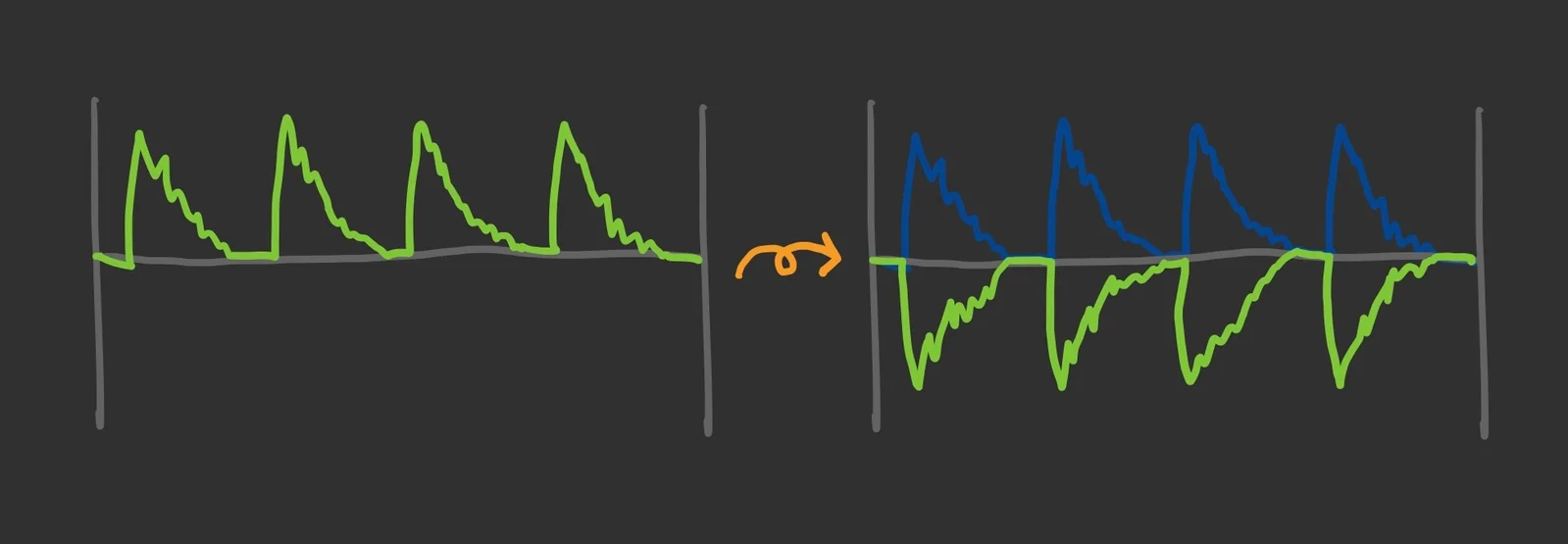
Then use this inverted CV to control the gain of a mixer handling all non-kick sounds (hi-hat, bass, etc.). The result is that other sounds get quieter whenever the kick hits.
This is the effect known as sidechain compression or ducking. By reducing non-kick sounds in proportion to the kick’s volume, you can make the kick stand out more prominently. This is a fairly common technique in club music based on four-on-the-floor kick patterns.
As a side note, there’s a well-known DAW plugin called Kickstart that is dedicated solely to making kicks stand out, and many artists reportedly use it.
In this way, by using the CV generated by an envelope follower to control other parameters, you can create a wide variety of effects. In modular synthesis, since virtually every parameter can be controlled via CV, the possibilities for sound design are boundless.
The Eight Gate Outputs
In addition to the basic envelope follower functionality, the ADDAC401 has eight gate outputs. This is a quite unique feature.
The eight gate outputs correspond to eight LEDs on the upper portion of the panel, which light up according to the level of the generated CV.
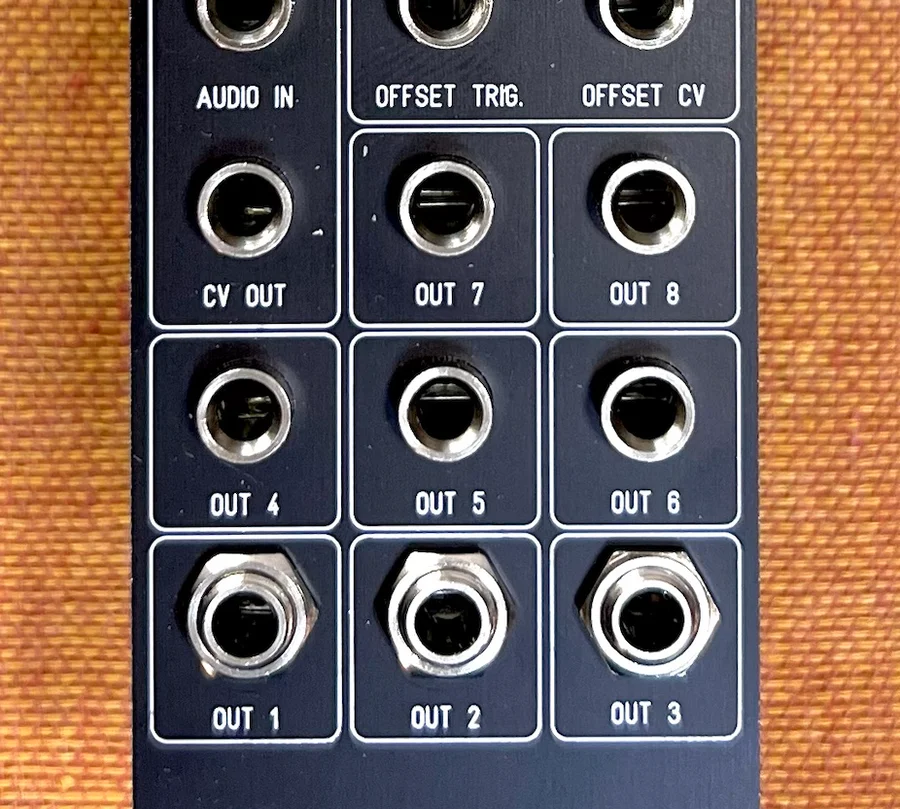
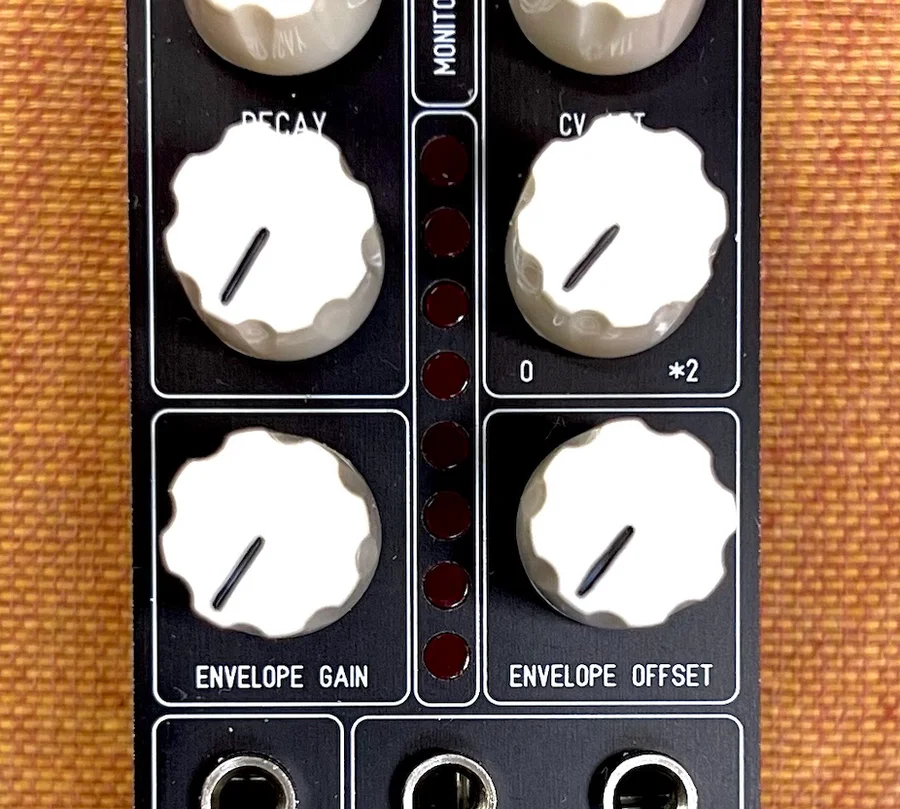
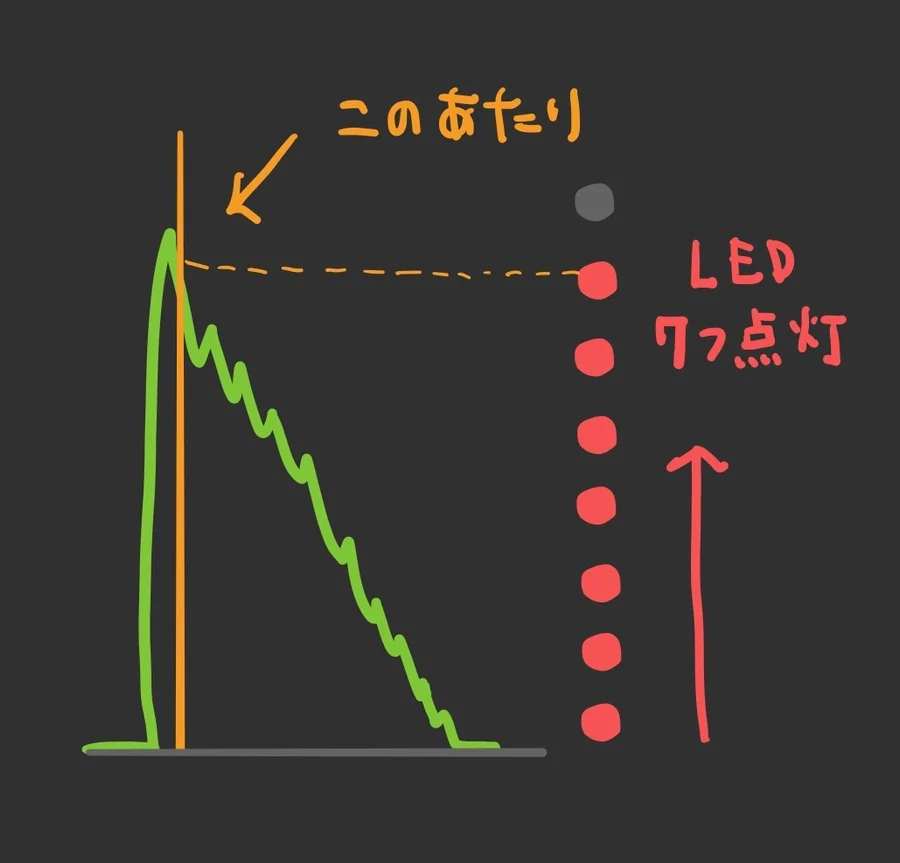
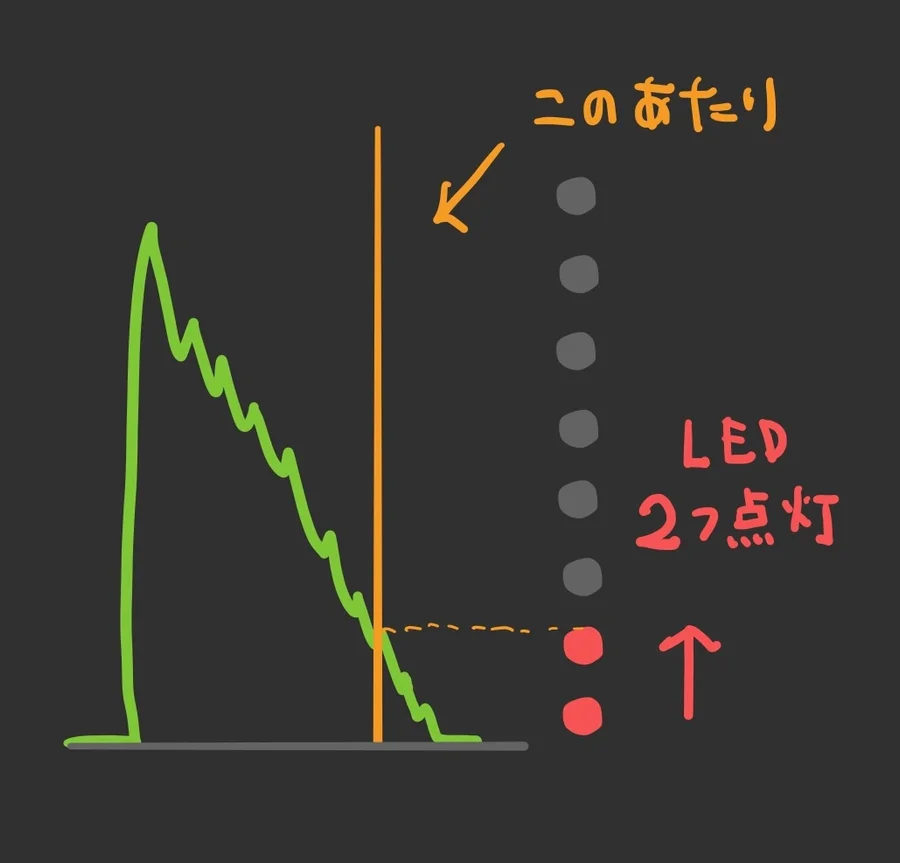
These LEDs work like a VU meter: when the generated CV voltage is low, only the lower LEDs light up; when the voltage is high, the upper LEDs light up as well. The eight LEDs represent the magnitude of the CV output voltage. While each LED is lit, its corresponding OUT jack outputs a 5V gate. (The CV is evaluated before ENVELOPE GAIN and ENVELOPE OFFSET are applied.)
Using the kick drum example to generate CV, at moments of high volume, gates are output from OUT1 through OUT7, while at quieter moments as the kick fades, only OUT1 and OUT2 output gates.
The OFFSET knob in the upper-right area of the panel shifts the LED and OUT1-OUT8 jack pairings by one position, and this can also be controlled via CV input to the OFFSET CV jack. The input to OFFSET CV can be attenuated with the CV ATT. knob.
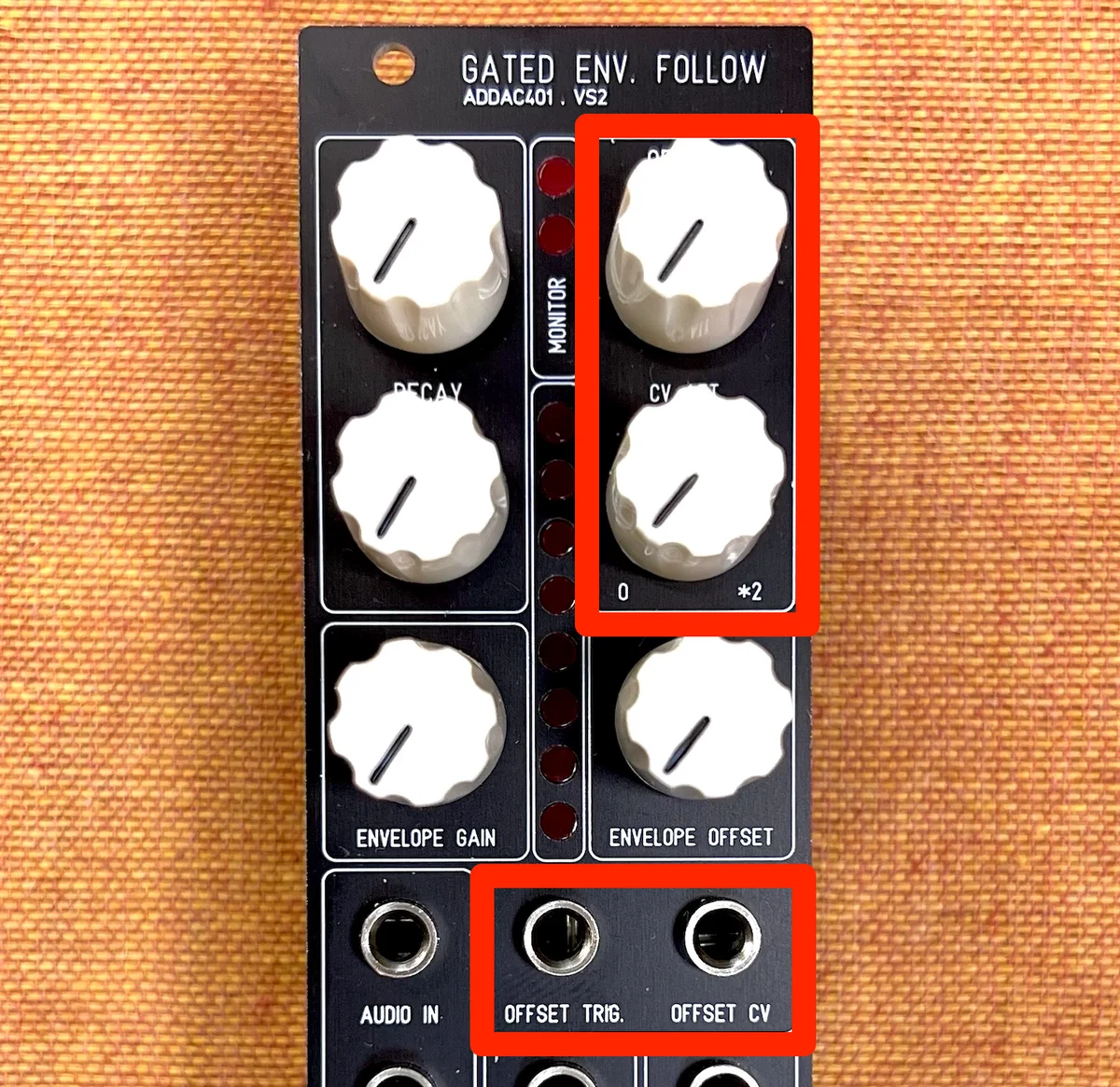
Finally, the OFFSET TRIG. jack receives gate CV. When CV is sent to this jack, the OFFSET knob’s shifting function is overridden. Instead, each gate received at this jack shifts the LED and jack pairings by one step.
This area, especially the LED and OUT shifting feature, seems designed less with a specific “use it this way” directive and more as a playground for trying various ideas.
Use Cases for the ADDAC401
I, Takazudo, was already familiar with envelope followers and had been using sidechain compression-like techniques elsewhere. However, I had never actually owned an envelope follower module before, so the ADDAC401 was my first hands-on experience with one.
After actually using it, I realized it has a surprisingly wide range of applications. For example, the ADDAC701.REV2 VCO has FM modulation and PWM (pulse width modulation) input jacks, as many VCOs do. Feeding the CV generated by an envelope follower into these inputs produced interesting effects.
When using a typical envelope generator to create an envelope for this purpose, you’d naturally get a very clean, well-shaped envelope. But the CV envelope created by the ADDAC401 is based on audio levels, so it has subtle fluctuations — yet not so much as to become unusable as an envelope. Additionally, you can shape and adjust the CV with the DECAY knob and ENVELOPE GAIN. I found that this adds an organic quality to sound design that might otherwise become monotonous.
Furthermore, the ADDAC401’s unique eight gate outputs initially left me puzzled about how to use them. But in practice, I found it’s possible to generate gates at timing points such as when the audio level begins to decay. From there, you can create envelopes with another envelope generator and use them for modulation, feed them into effect dry/wet controls, and more — there’s a lot of room for experimental approaches.
Whether using it for established techniques like sidechain or auto wah, or combining it with modulation and effects to explore new possibilities, this turned out to be a more enjoyable module than I initially expected. If you’re considering adding an envelope generator to your system, you might actually find that an envelope follower like this one brings new discoveries.
Technical Specifications
- Width: 8HP
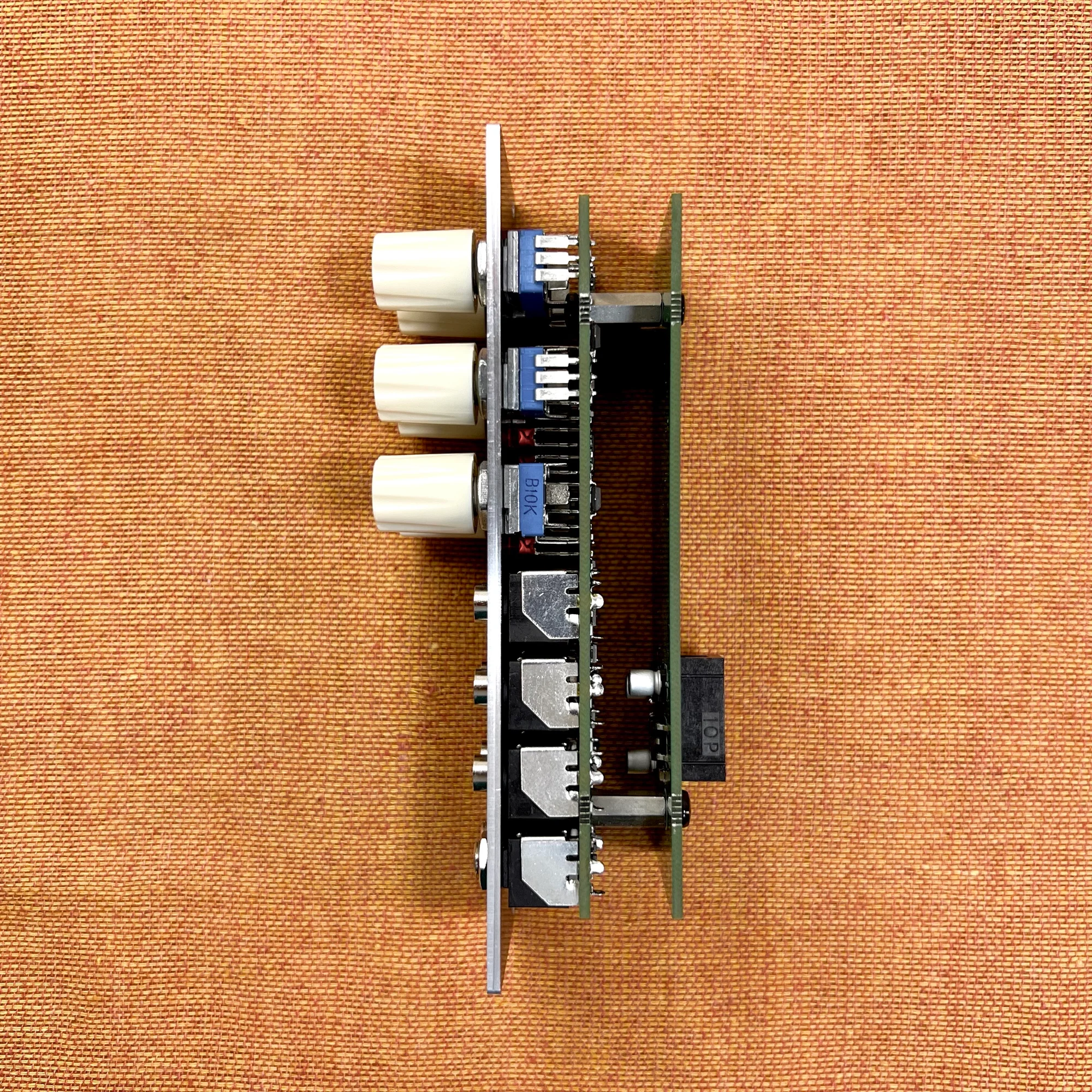
- Depth: 45mm
- CV output voltage: +/-10V
- Gate input voltage: 0-5V (threshold: 2.5V)
- Gate output voltage: 0-5V
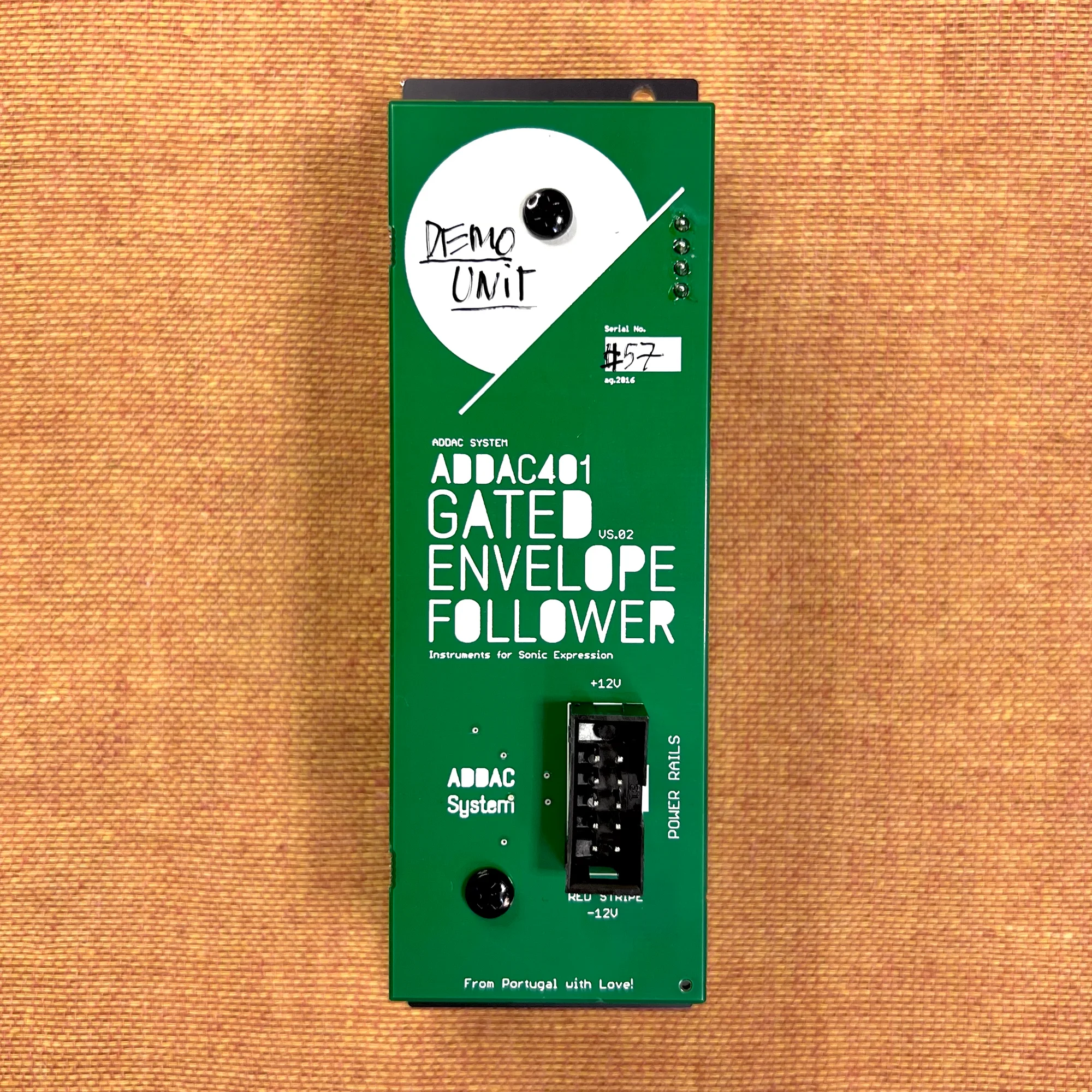
- Max power consumption: 110mA +12V & 20mA -12V
Included Accessories
- Power ribbon cable
- Screws
Manual
No dedicated manual is provided for this module. If you have any questions, please feel free to contact us.
ADDAC Systemについて
ADDAC Systemはポルトガルのモジュラーシンセメーカーです。
アナログ良さを生かした、ベーシックな機能をしっかり形にしているモジュールラインナップを基本としつつも、CVをMIDIに柔軟にコンバートしたり、高度にコントロール可能なグラニュラープロセッサー等、デジタル技術もうまく調和させた独創的なモジュールも数多くリリースしています。
オマケ: 電氣美術研究會モジュラー小物セット付き

モジュラーシンセをもっと多くの方に触って欲しいという願いの元、電氣美術研究會さまにご協力頂き、モジュラー小物セットを本商品にバンドルさせて販売させていただいております。
パッチケーブルや電源ケーブル、ドレスナットのサンプルセット、モノラルスプリッターなど、内容は時期に応じて変化します。商品に同梱しますので是非お試し下さい!
That concludes the introduction to the ADDAC401 Gated Envelope Follower VS2.
We hope you found this helpful.