
This is an introduction to the AI022 Harmonic Mixer by AI Synthesis, available at Takazudo Modular.
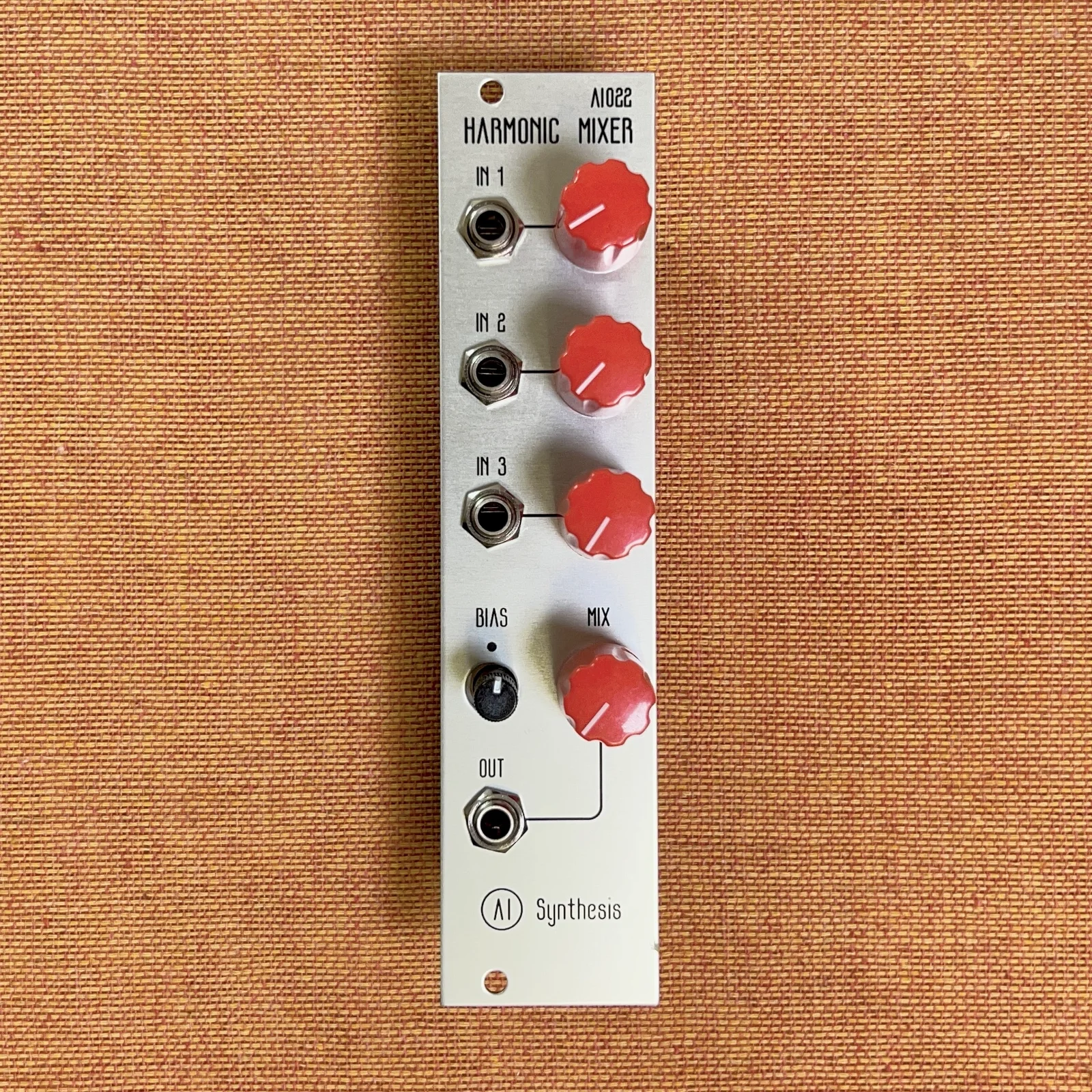
The AI022 Harmonic Mixer is a mono 3-channel mixer module. As you increase the gain, it enriches the harmonics and adds warmth and distortion to the input audio signal.
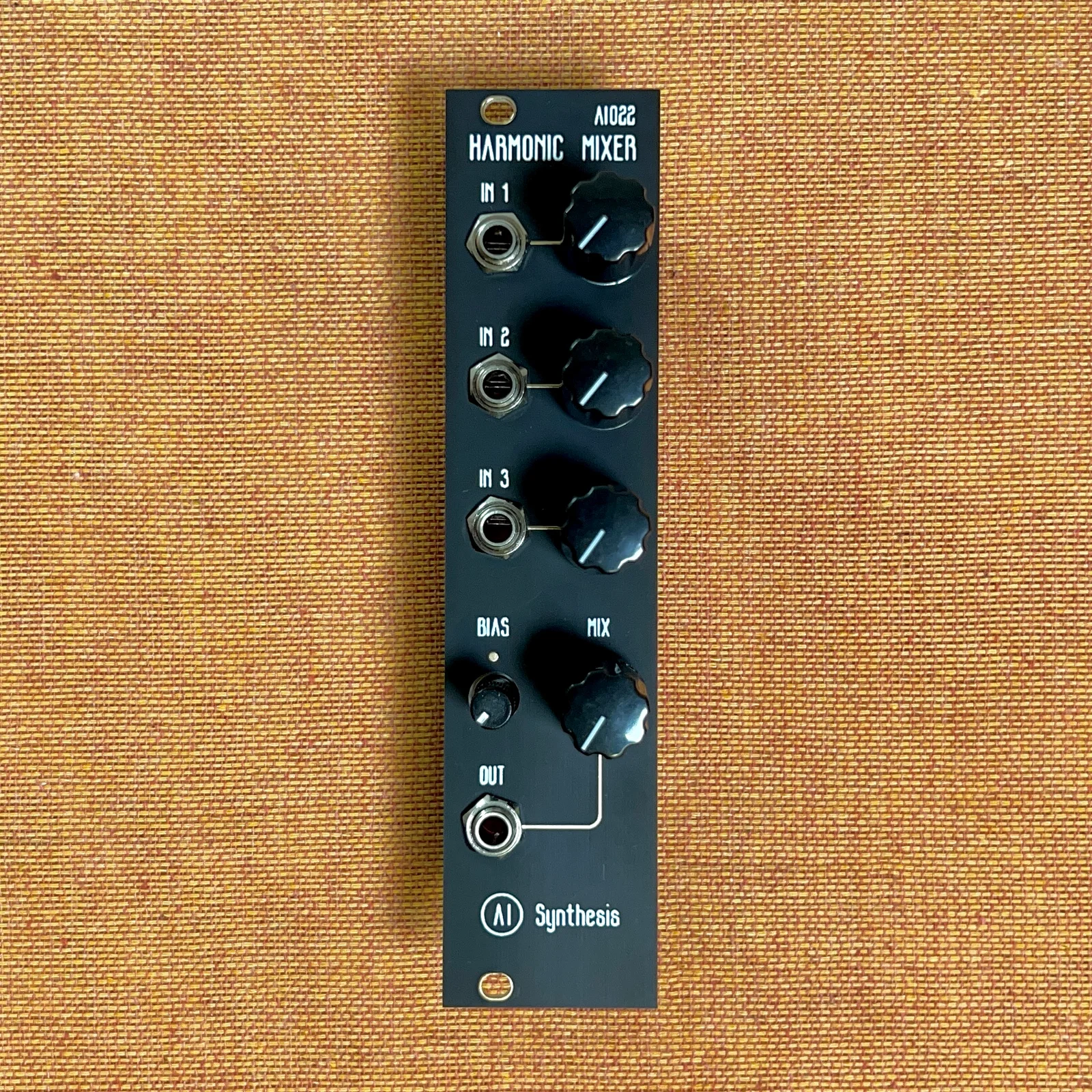
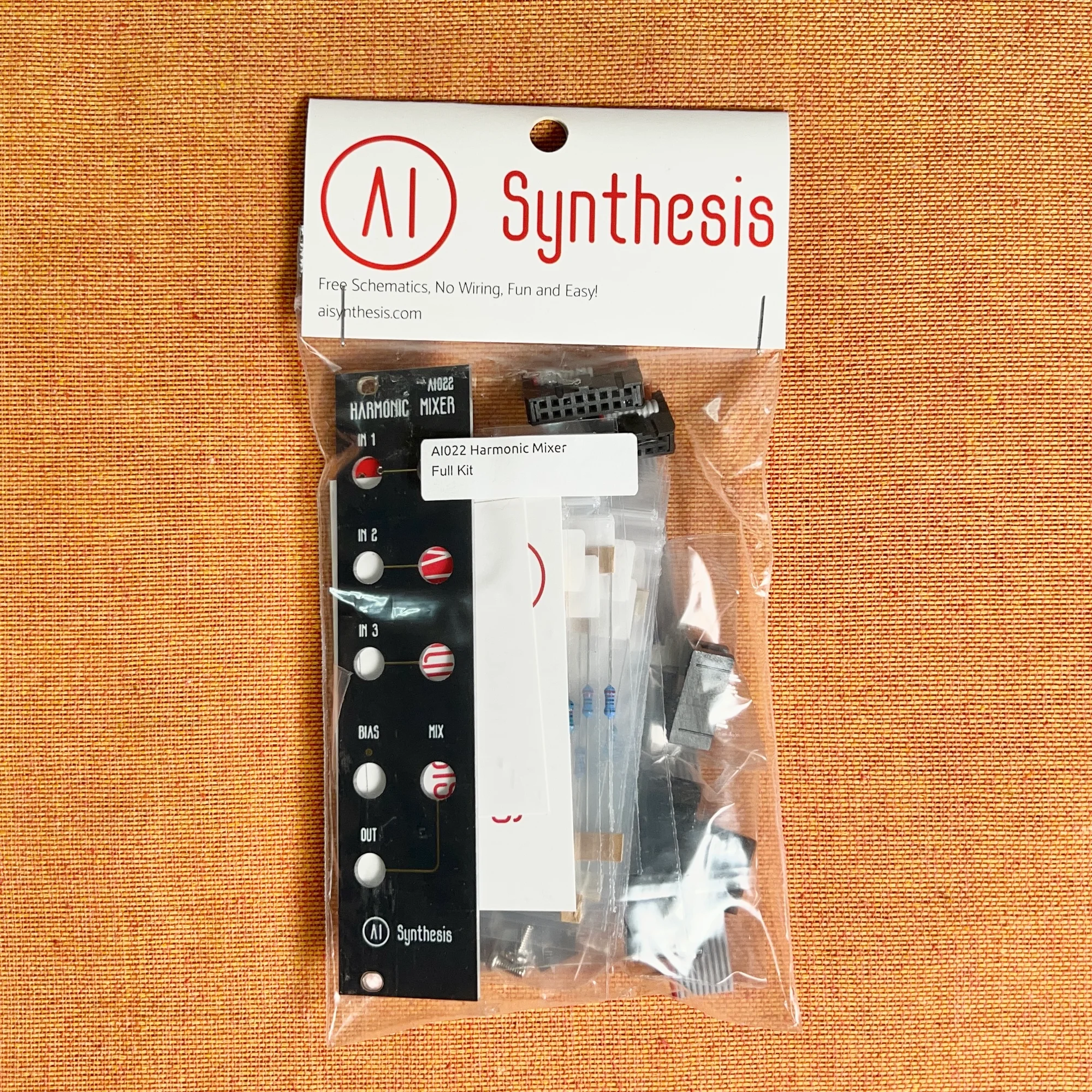
It is available in two panel versions — aluminum and black — and we also carry DIY kits.
This product is available for purchase below.
Takazudo Modularではマニュアル等の日本語訳付きを作成し、公開しています。以下よりご参照下さい。
- Product Photos: Assembled
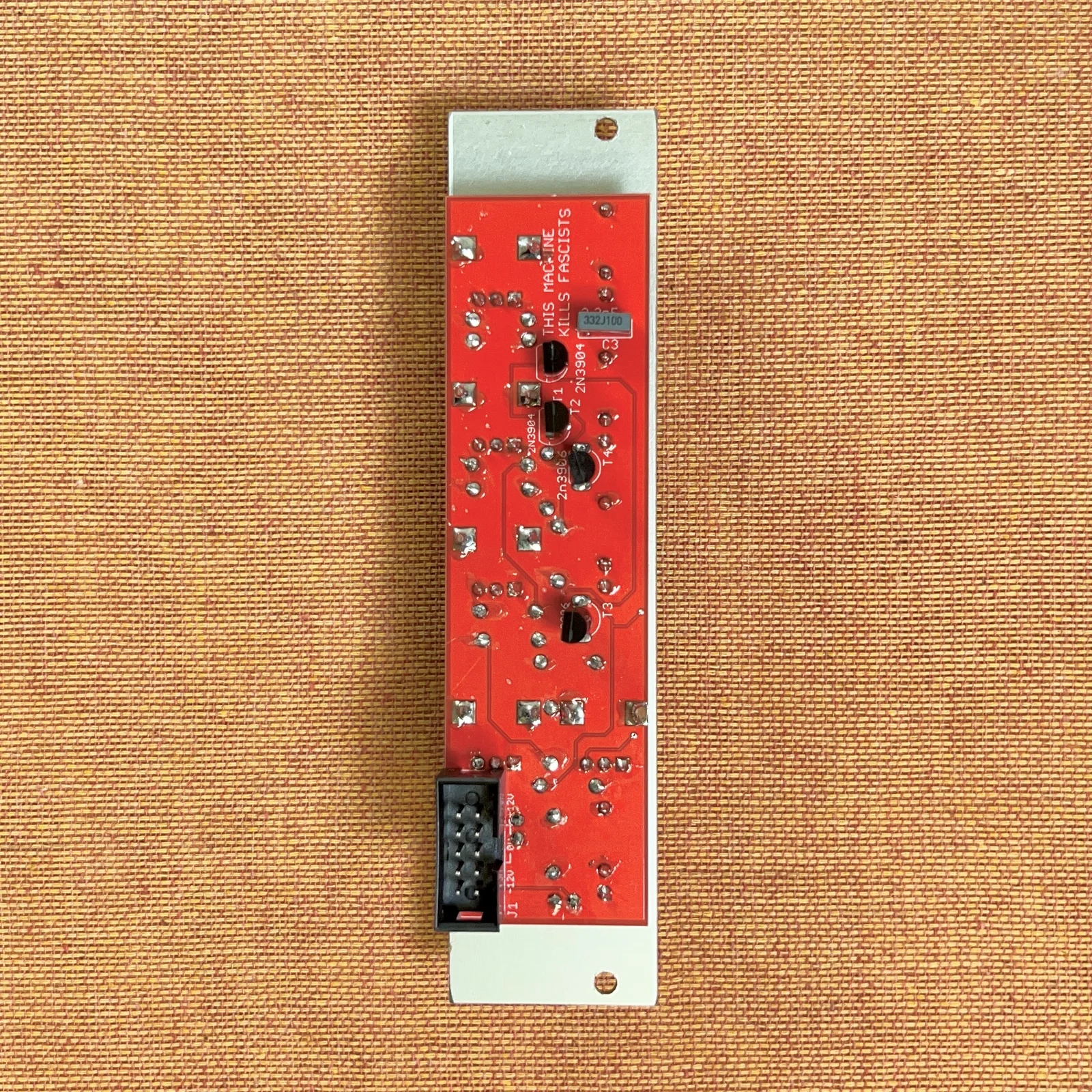
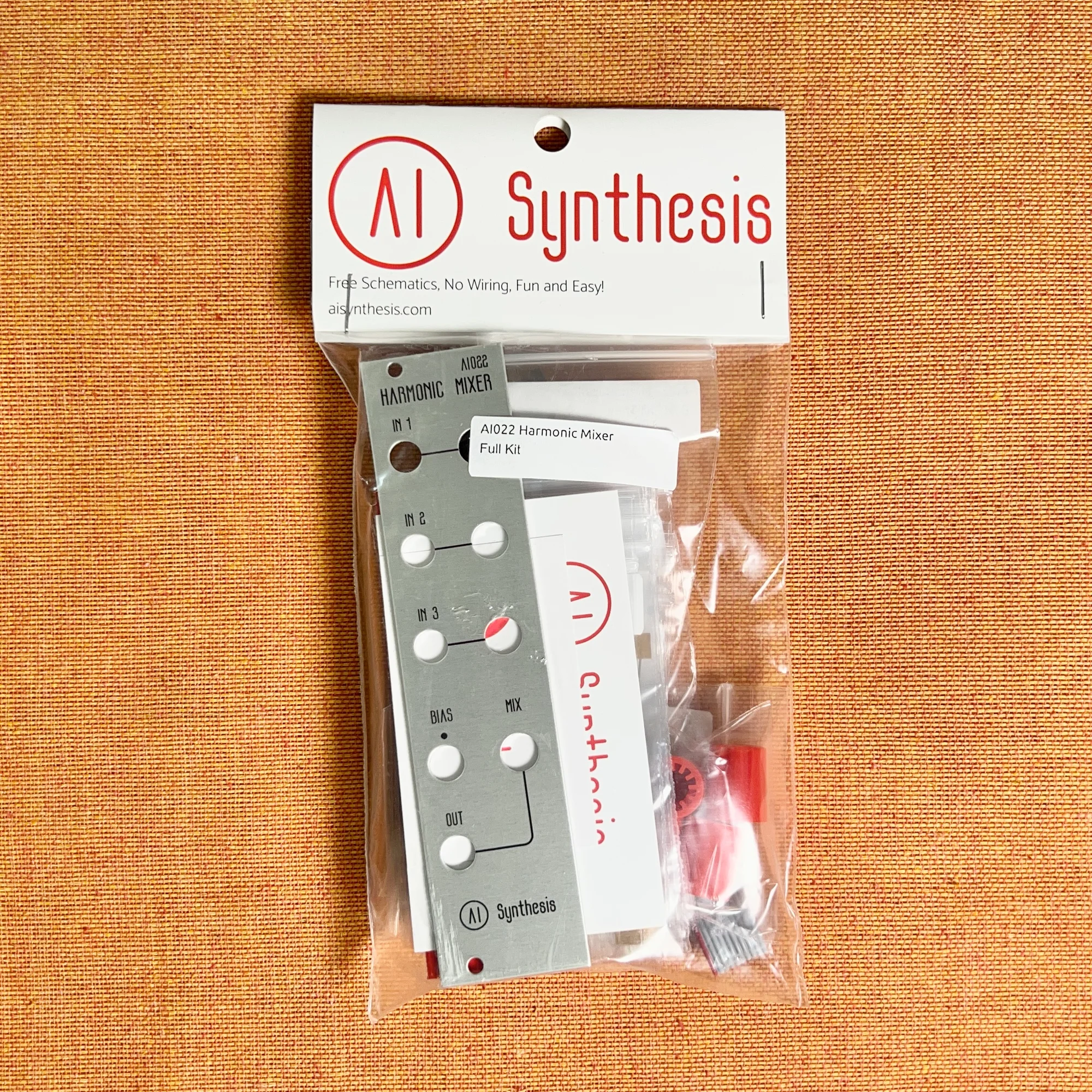
- Product Photos: DIY Kit
- Features of the AI022 Harmonic Mixer
- A Mixer That Changes the Sound?
- Where to Use the Harmonic Mixer
- Similar Modules
- Related Article
- Other Reference Videos
- Technical Specifications
- DIY Guide
Product Photos: Assembled
Product Photos: DIY Kit
Features of the AI022 Harmonic Mixer
The AI022 Harmonic Mixer is a CP3-style, discrete mixer that uses no ICs. As you increase the gain, it adds harmonics and analog warmth, and pushing the gain further introduces distortion and phase changes (phasing), transforming the input audio source.
The AI022 was designed inspired by the legendary Moog Modular CP3-style mixer, with the circuit customized for Eurorack. Many Moog Modular users have noted that the CP3 mixer module is what provides the warmth of the Moog Modular sound.
The BIAS knob next to the MIX knob allows you to offset the combined waveform within a +/-5V range. This enables not only simple mixing but also drastic waveform manipulation.
Below is an official demo video from AI Synthesis. You can observe how the input sine and triangle waves get clipped and suddenly inverted in certain sections.
Additionally, in the following video from the YouTube: Robots Are Red channel, you can hear the results of passing various audio sources through this mixer.
A Mixer That Changes the Sound?
This module is a mixer that additively combines three inputs. Up to this point, we’ve been using terms like “warmth” and “distortion,” expressions you may have encountered in descriptions of various music equipment. Honestly, using such words has the aspect of being difficult to convey without actually hearing the sound, but since you might not fully understand what they mean without some experience with modular synths, here is a brief explanation.
What a Mixer Does Internally
First, as with any module, whether for CV or audio, the voltage of the output waveform doesn’t go infinitely high. In a typical modular synth, modules are designed to output voltage fluctuations roughly within the +/-5V range.
If you simply add three +/-5V voltages together, you might expect to get +/-15V, but the circuit design inside the module constrains the result to the +/-5V range. How that constraining is done depends on the combination of components used, and this is what gives each module its character.
For example, in digital modules, the internal software synthesizes waveforms, and may simply cut off anything exceeding +/-5V, or may use a cleverly designed program to avoid such harsh clipping. In contrast, modules using analog components process the signal through combinations of resistors, diodes, op-amps, and transistors — reducing input voltage, mixing it, amplifying it, and compressing excessively high voltages. What’s interesting here is that as a result of this processing, the output is not simply a mix of the input signals.
Examples of Input Signal Transformation
For example, the images below are from a section of the previously mentioned official AI Synthesis demo video, showing from left to right: a sine wave, sawtooth wave, and triangle wave input (green) alongside the gain-boosted distorted output (red), displayed on a Mordax: DATA oscilloscope.
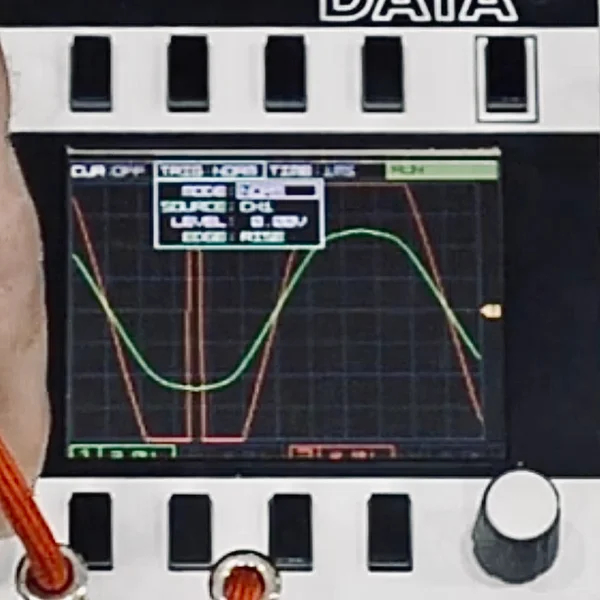
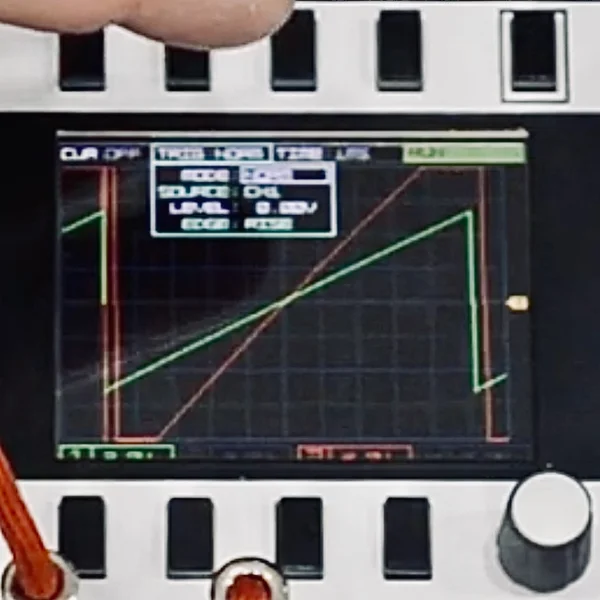
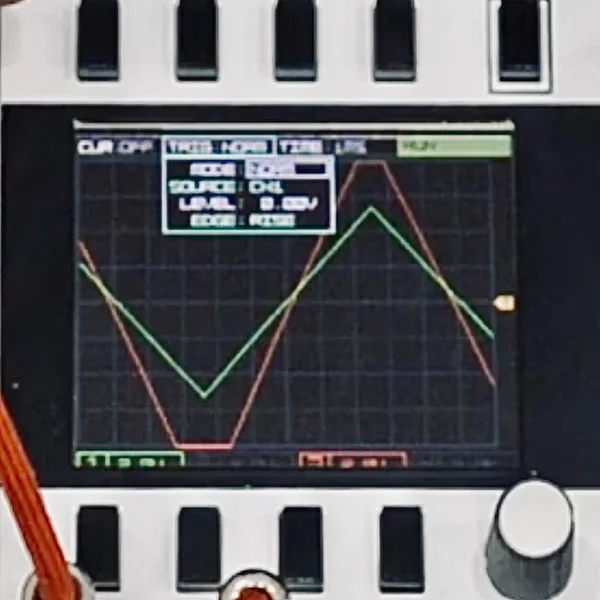
In all three cases, when the output is boosted with the gain, you can see that the clipped portions become flat. As a result, the timbre shifts closer to a square wave. Furthermore, with the sine wave, at the points where the absolute output voltage is particularly high, the polarity is completely inverted.
I don’t personally understand why this behavior occurs, but the important thing is that this result comes from the clever combination of components, and that is the design of this mixer module. This creates timbral changes in the input signal.
In essence, you can think of this mixer as one that applies its own unique distortion when the gain is turned up. When you feel that simply playing basic waveforms is a bit plain, using a mixer like this might lead to new discoveries.
The fact that this is not a mixer designed to manage an entire multi-channel track, but rather just a 3-channel mixer that adds this kind of character to part of your system, is something that feels very true to the modular synth philosophy.
Where to Use the Harmonic Mixer
I, Takazudo, have also tried using this Harmonic Mixer myself. My impression was that it feels close to saturation or distortion. You could think of it as a saturation effect with a mixer attached.
Mixing VCO Waveforms
One recommended use is to mix multiple waveform outputs from a VCO through this mixer to create your desired sound. For example, the following basic oscillators are available in our product lineup:
- ADDAC System: ADDAC701.REV2 VCO Introduction
- Weston Precision Audio: TZ0 Thru-Zero Oscillator Introduction
These oscillators can output multiple waveforms such as sine wave, triangle wave, and square wave. You can mix them through this mixer and adjust the balance to craft the sound you want. When a sine wave feels too soft and a square wave feels too harsh, blending them to find your preferred balance is one enjoyable approach.
The idea is to feed the sound combined through this mixer into a Low Pass Gate or Low Pass Filter like the ones below, treating the VCO and this mixer as a combined set.
- Meng Qi: DPLPG Introduction
- AI Synthesis: AI017 Low Pass Gate Introduction
- ADDAC System: ADDAC604 Dual Filter Introduction
- Weston Precision Audio: SF1 Dual / Stereo VCF Introduction
Here are two videos where I, Takazudo, used the Harmonic Mixer in this way.
The first is an example of combining multiple outputs from the TZ0 Thru-Zero Oscillator through this mixer and feeding them into the DPLPG. The low pass gate makes it sound mellower, but the waveform at the stage before is quite heavily clipped (the waveform displayed on the DATA in the lower right shows this).
The second is an example of combining multiple outputs from the ADDAC701.REV2 VCO through this mixer and similarly feeding them into the DPLPG. This one aims for a softer impression while experimenting with making use of the clipping character of this mixer. The sound resembling a sine wave with clipping is the tonal character contributed by this mixer.
Submixing Drums for Processing
Another use, which is a common application for mixers in general, is for mixing multiple sound sources together before feeding them into effects.
For example, the AD110 available in our shop can output CH (closed hi-hat) and OH (open hi-hat) separately.
If you want to apply delay or reverb only to the hi-hats (for example, using the OAM: Time Machine), you can mix the CH and OH through this mixer and feed the output to the effects unit.
Above, we introduced two ways to use this module. In any case, when you turn up the volume on this mixer, it imparts a distinctive distorted character, and since this effect is quite strong, we encourage you to experiment and make the most of these tonal changes.
Similar Modules
A similar module to this one is the AI106 West Coast Mixer from the same brand. Additionally, while ADDAC System’s ADDAC712 Vintage Pre and ADDAC714 Vintage Clip are not mixers, they are artfully designed distortion modules similar to what was discussed in this article, so if you’re interested, they may be worth checking out as well.
- AI Synthesis: AI106 West Coast Mixer Introduction
- ADDAC System: ADDAC712 Vintage Pre Introduction
- ADDAC System: ADDAC714 Vintage Clip Introduction
Related Article
We have written a column comparing and explaining this mixer along with other similar mixers available in our shop. If you’re interested, please check it out as well.
Other Reference Videos
Regarding the differences in mixer characteristics discussed in this article, the following video from the YouTube: Sound + Voltage channel is very informative. It explains the differences while referencing the circuit diagrams of this AI022 Harmonic Mixer and the AI106 West Coast Mixer from the same brand, so if you’re interested, please check it out.
Technical Specifications
- Width: 6HP
- Depth: 22mm
- Power consumption: 9mA +12V / 9mA -12V / 0mA 5V
DIY Guide
The DIY kit includes the panel, PCB, all components, power ribbon cable, and mounting screws.
AI Synthesis provides detailed DIY guides on their website. The guide linked below includes an assembly video along with step-by-step instructions with photos, making it a great resource for those new to DIY as well.
Assembly Impressions
I, Takazudo, also assembled this kit myself. Below is a video of the process. It’s not specifically designed to be instructional, but it may give you a sense of what the kit is like. You can see that the components are sorted into individual bags, making it a well-organized and user-friendly kit.
The components are all through-hole parts that are easy to solder. There are relatively few parts, so the assembly can be completed in a short time. Despite its simple construction, it delivers dramatic timbral changes, so both DIY beginners and experienced builders should find it enjoyable.
モジュラーシンセのDIYとは?
モジュラーシンセサイザーのDIYについて詳しくご存じない方向けに、以下にDIYの導入的なコラムを用意しました。DIYについてご興味のある方、始めてみようと思う方は、是非ご参照いただければと。
また、組み立てに際して不明点や不安な点がございましたら、以下Takazudo Modularのdiscordチャンネルにてお気軽にご質問等、頂ければと思います。
AI Synthesisについて
AI Synthesisはアメリカポートランド州に拠点を置くモジュラーシンセメーカーです。
AI Synthesisのモジュールラインナップは、シンプルで実用性の高いベーシックなタイプのモジュールで構成されています。ユーザーの学習とDIYサポートに力を入れており、すべてのモジュールに丁寧なDIYガイドが用意され、設計図、BOMも合わせて公開されています。AI SynthesisのDIYキットで、シンセDIYを初めてみませんか?
オマケ: 電氣美術研究會モジュラー小物セット付き
モジュラーシンセをもっと多くの方に触って欲しいという願いの元、電氣美術研究會さまにご協力頂き、モジュラー小物セットを本商品にバンドルさせて販売させていただいております。
パッチケーブルや電源ケーブル、ドレスナットのサンプルセット、モノラルスプリッターなど、内容は時期に応じて変化します。商品に同梱しますので是非お試し下さい!
That concludes the introduction to the AI022 Harmonic Mixer.
Takazudo Modularではマニュアル等の日本語訳付きを作成し、公開しています。以下よりご参照下さい。
We hope you found this helpful.