This is an introduction to the OXI Coral by OXI Instruments, available at Takazudo Modular.
OXI Coral is a 14HP multitimbral synthesizer module. Its eight voices can be grouped into parts, with built-in filters, envelopes, chorus, reverb, and delay. Firmware 3.0, released on September 30, 2026, lets you choose up to 10 engines from a library of 27 for a custom firmware build. The number of loaded engines is separate from the number of simultaneous voices, and polyphony limits depend on the engine.
This product is available for purchase below.
- Product Photos
- Manuals and Guides
- What Are Digital Modules?
- What Kind of Module is OXI Coral?
- OXI Coral and Plaits
- Choosing Engines in Firmware 3.0
- Playing and Settings in Firmware 3.0
- OXI Coral's Part Function
- OXI Coral and OXI ONE
- Reference Videos
- Updating and Official Web Apps
- Specifications
- Product Warranty
Product Photos
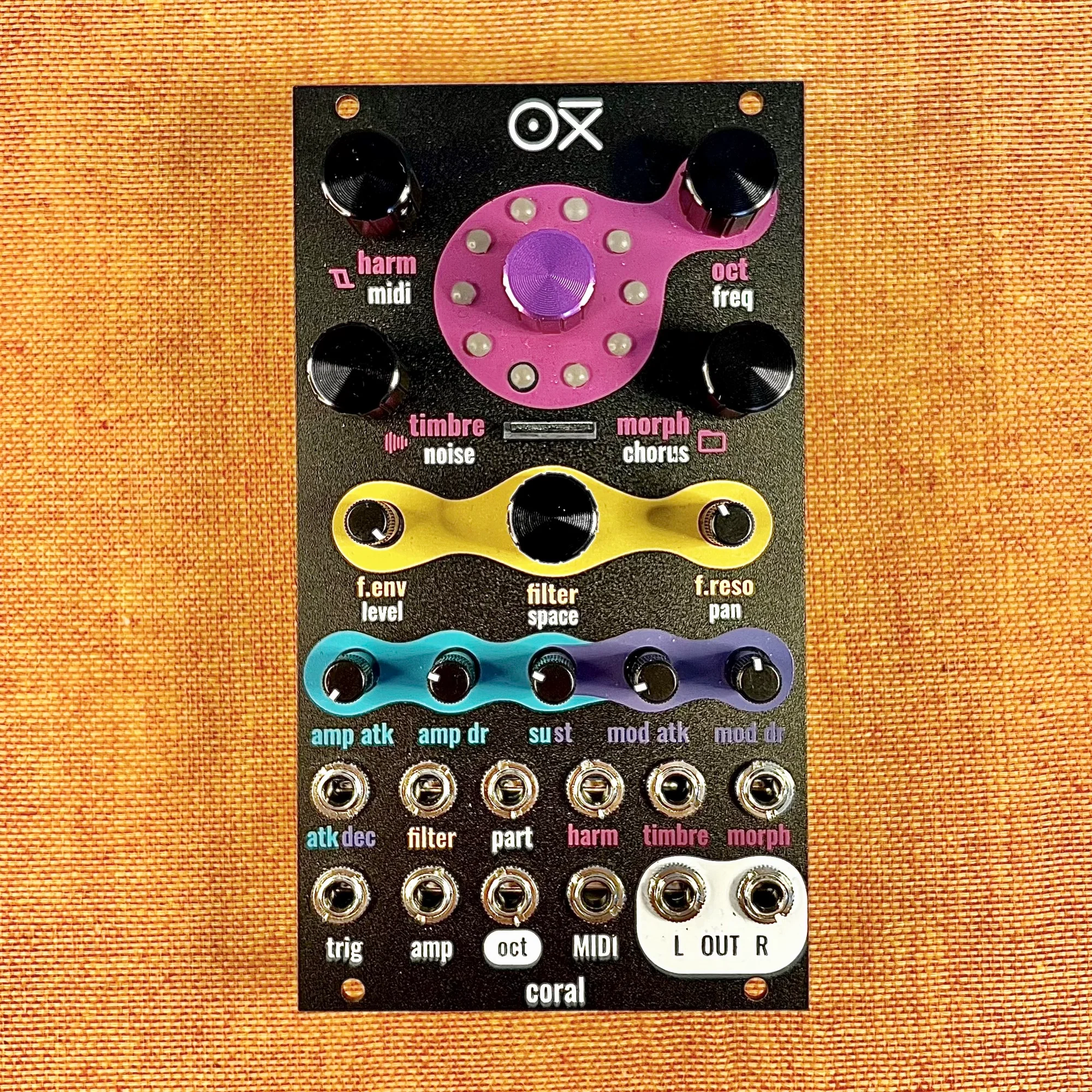
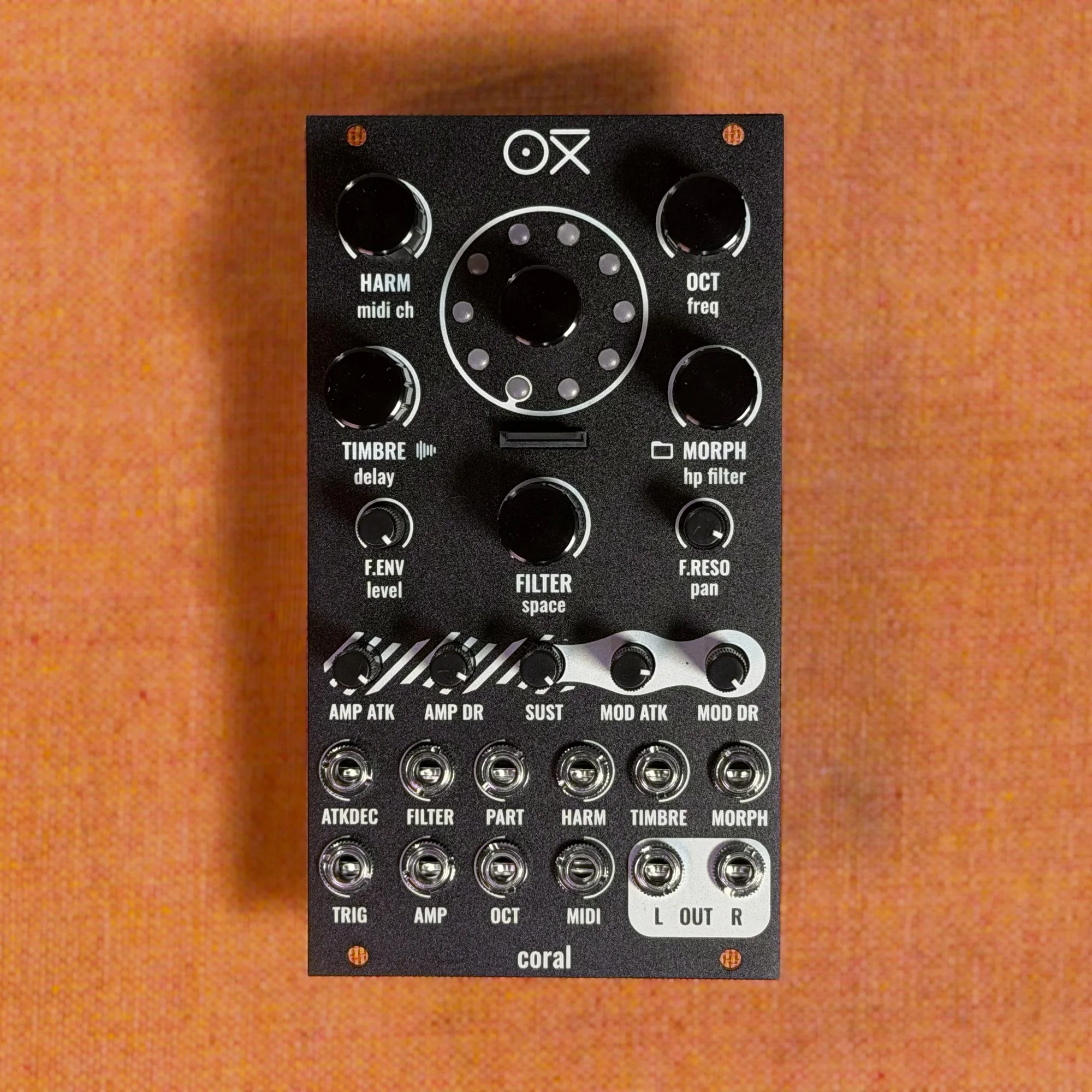
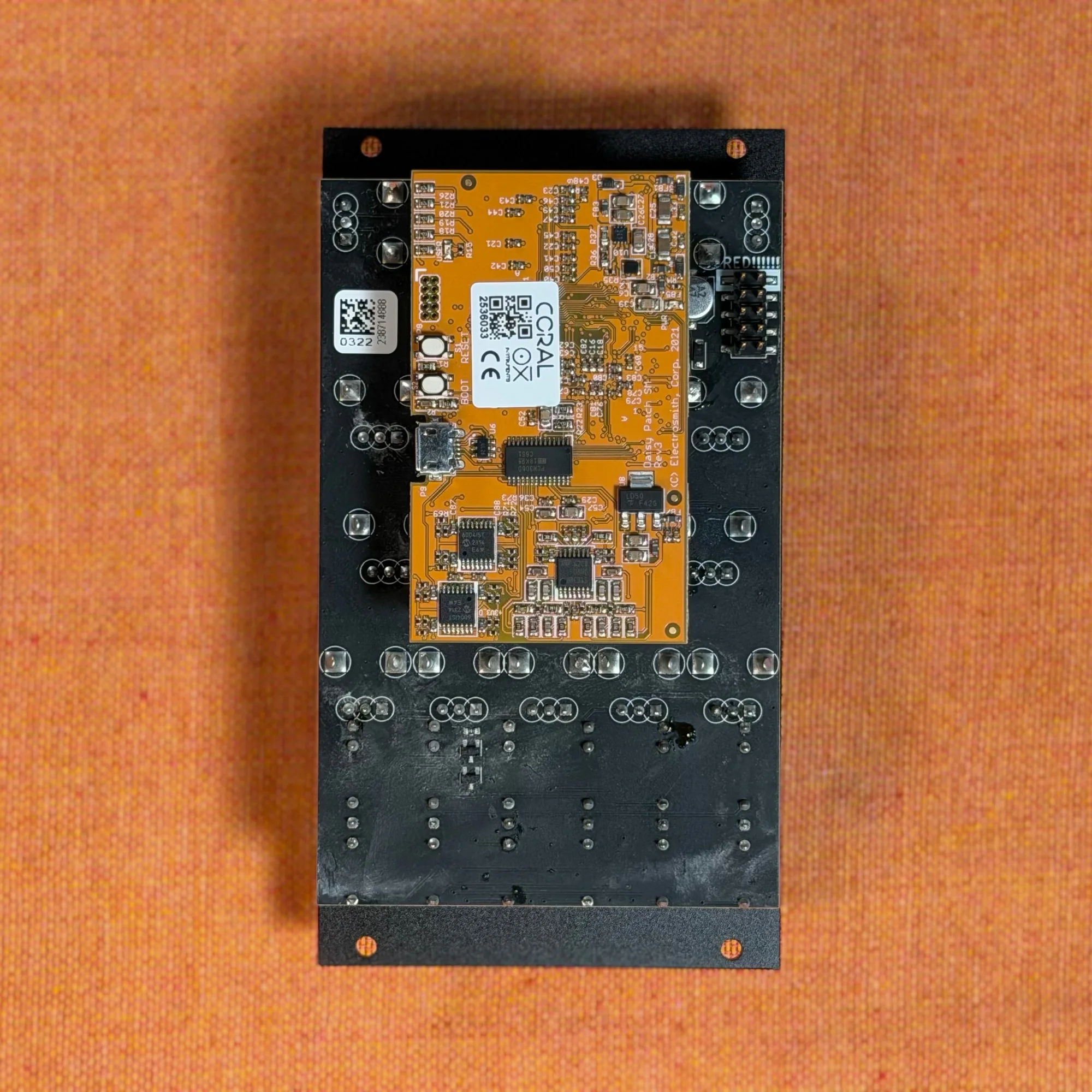
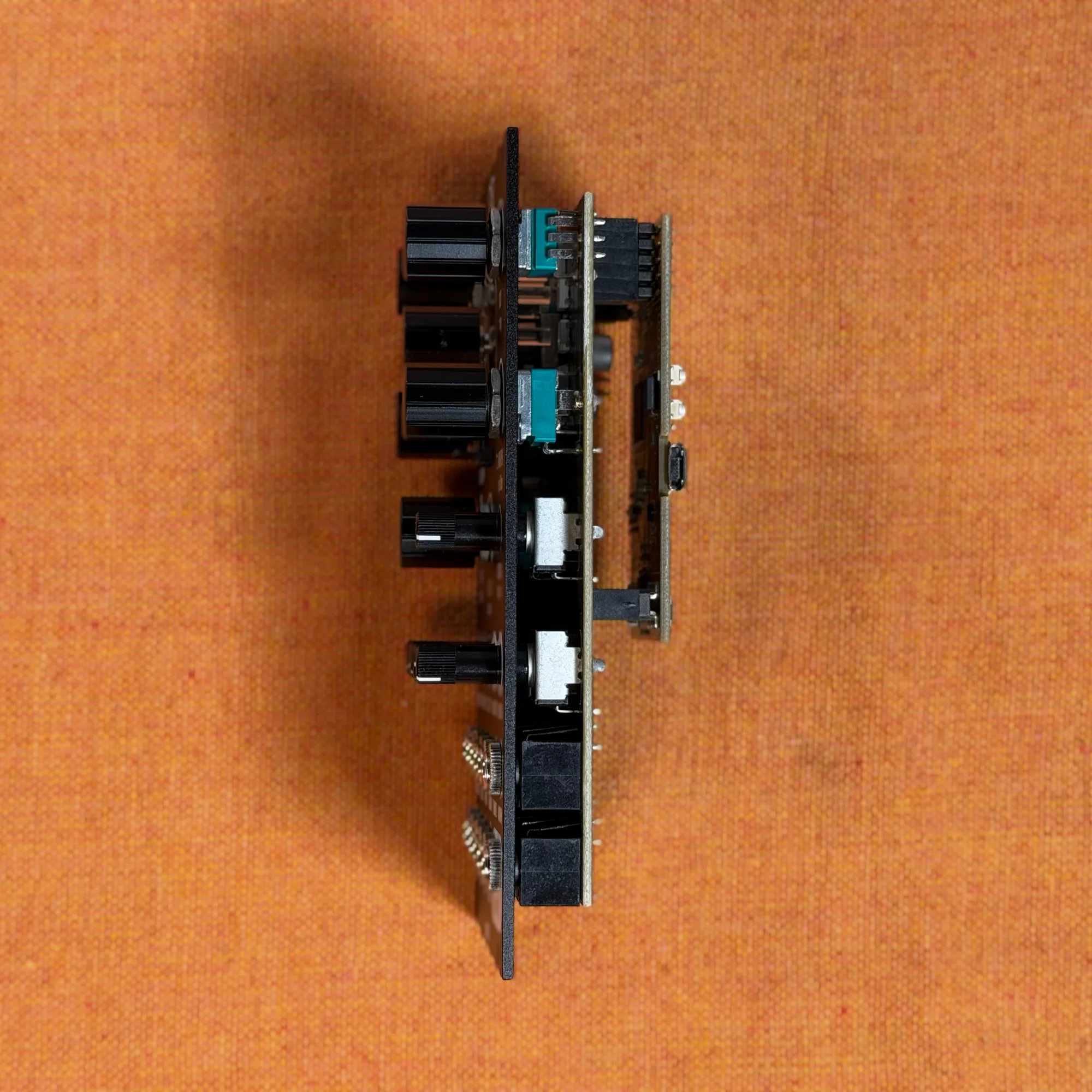
The black version has the same features and specifications as the silver version. Only the exterior colors differ.
Manuals and Guides
Takazudo Modular publishes manuals and guide articles for this product. Please see below.
What Are Digital Modules?
OXI Coral is a high-spec digital module. Before diving into this module's features, let's briefly touch on what types of modules are referred to as digital modules.
In the world of modular synthesizers, "digital modules" generally refers to modules that utilize high-processing-power IC chips, or modules where developers write their own programs and install them on IC chips built into the module. The opposite is "analog modules," which refers to modules built the traditional way by combining analog circuit components such as transistors, resistors, and capacitors. Analog modules are sometimes described with the word "discrete," a term you may occasionally encounter on modular-related websites.
However, this distinction doesn't carry great significance, and where to draw the line on what constitutes "discrete" analog components is quite ambiguous. Digital modules certainly use analog components too, and since there are various types of ICs, it's sufficient to understand that in today's era, such digital components have become commonly used.
The key takeaway here is that recent technological advances have made it possible to use highly capable processing components at affordable prices, even in compact devices like modular synthesizer modules.
What Kind of Module is OXI Coral?
Getting back to OXI Coral — this is a synthesizer module built to fully leverage such high-spec digital components. While it's based on an oscillator, it can play up to eight voices subject to the selected engine’s polyphony limit and includes a low-pass filter, chorus, reverb, and other effects, so here we'll refer to OXI Coral as a synth module.
OXI Coral's features are quite diverse, so the following nine sections bring the earlier product overview up to date for firmware 3.0. This should help you understand that Coral is not just an oscillator, but a multi-featured synthesizer.
1. Fat Sound
Coral has an eight-voice architecture. FMX7 is limited to six voices, ACID 2 to four, and Stitcher to one, so eight-note polyphony is not available on every engine.
Depending on the engine, a single voice can have up to 8 oscillators, meaning it's possible to have 64 oscillators sounding at once.
2. Polyphonic
Coral has an 8-voice configuration. Each voice has independent filter, amp, modulation, envelope, and effect send, all of which can be individually controlled.
Fine control is possible via MIDI, but it can also be played with 1 Gate and 1 CV (V/Oct). In this case, each time a new voice is triggered, it's assigned to a different voice for playback.
Coral's Gate and 1V/Oct Input
Coral has only one Gate input and one 1V/Oct input. So it cannot play multiple pitched notes simultaneously, but each time a new Gate is received, it assigns the current 1V/Oct pitch to a new voice for playback — this is why it's referred to as polyphonic here. With a mono synth, the first note would stop when a second note is triggered, but Coral doesn't behave that way.
3. Multi-Engine
Firmware 3.0 offers 27 engines, with up to 10 chosen in the official Firmware Updater for a single build. Assign the loaded engines to parts or voices. Flash and RAM limits also apply: not every combination fits, even when it contains 10 or fewer engines.
4. Multi-Part
The 8 voices can be freely divided into different parts. All parameters — filter, envelope settings, engine, FX send, pan, etc. — can be set independently per part or per voice, allowing you to quickly create complex patches.
5. Sample Playback
The WAVPLAYER engine plays mono or stereo WAV files from the SD card. The manual lists 16-bit, 24-bit, 32-bit, and 32-bit float at 44.1 or 48 kHz, and recommends a U3 card and 48 kHz 16-bit files to reduce load. Sample-rate wording differs between the manual and official FAQ; check official support for your material as well. Stitcher handles source material differently from WAVPLAYER.
You can add overdrive to samples, shape the sound using filter and envelope, and control pitch with tune. You can also change sample files or folders in real-time using CV input or CC MIDI commands.
6. Custom Wavetables
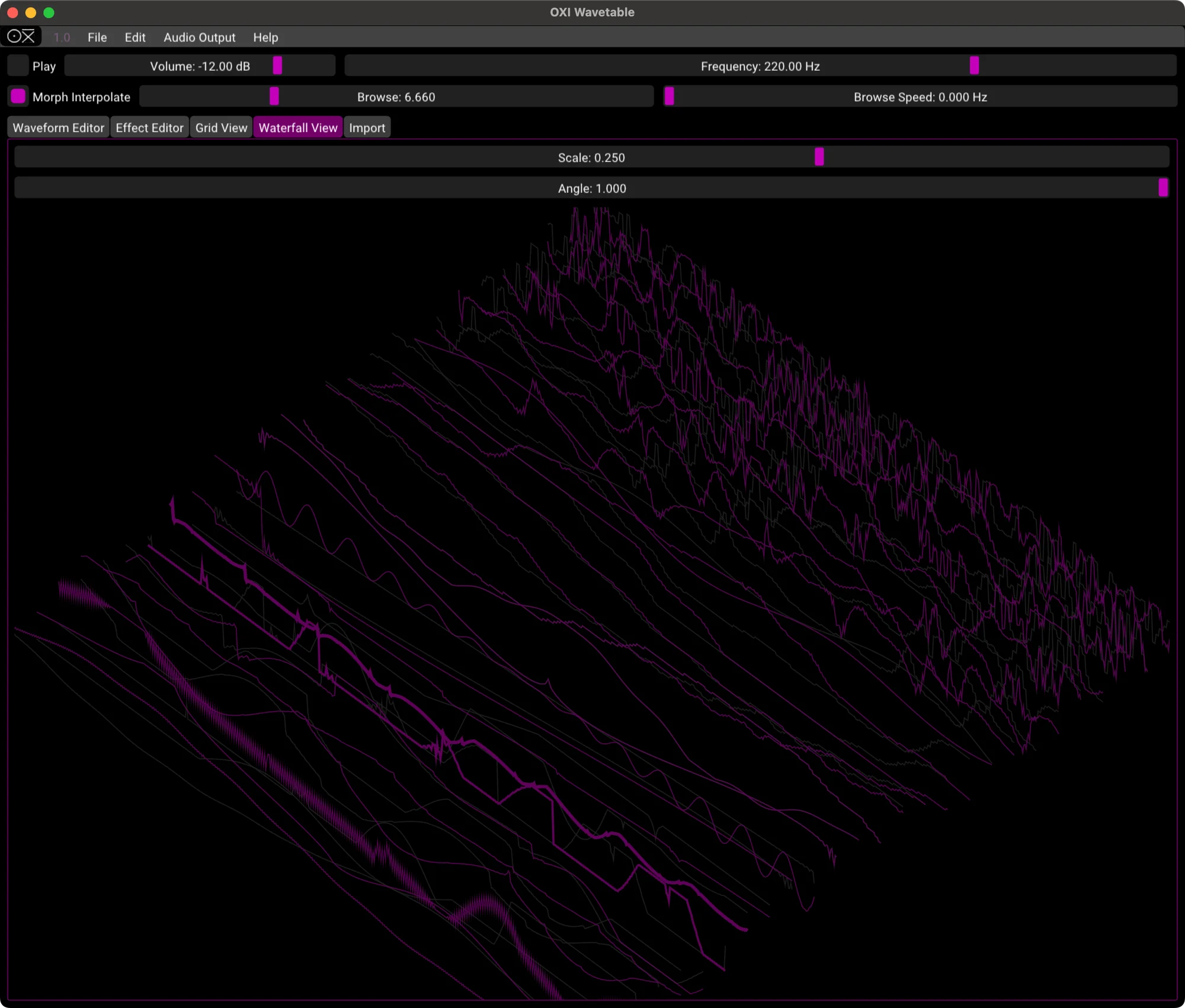
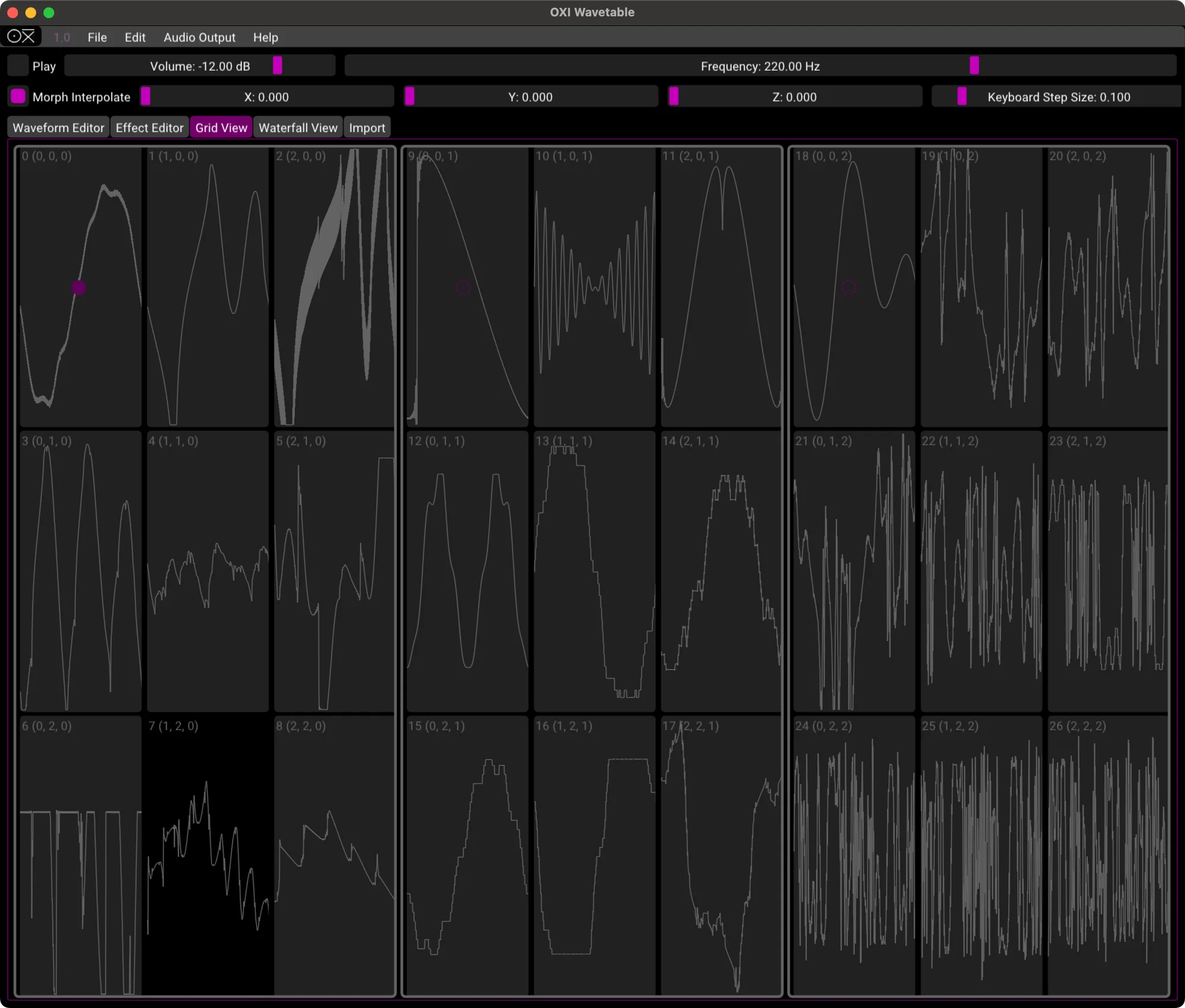
Put Coral-format WAV wavetables in Wavetables/ on the SD card for the wavetable engines. The standard WAVETABLE engine scans three axes to change the sound. In firmware 3.0, an encoder selection screen lets you choose a table; it persists across power cycles, and each saved preset remembers its own table. Use the official Waveform Generator to create them. The images below show the earlier desktop OXI Wave App.
7. MIDI Integration
Using MIDI CC, you can control any parameter from FX send to sample selection. Combined with CV control, this creates a compact yet powerful combo.
8. Effects
You can use deep, rich ensemble chorus from the built-in Space engine. The built-in effect send can be configured per voice.
9. MPE
Through a firmware update, MPE is now supported. MPE provides per-note pitch bend, pressure, and other expressive control. The selected engine’s polyphony limit still applies.
OXI Coral and Plaits
For those already fairly knowledgeable about modular synthesizers — OXI Coral's default firmware sounds quite similar to Mutable Instruments' open-source module, Plaits.
This is because OXI Coral's sound engines are built with reference to the Plaits engines. This is mentioned on the OXI Coral web page as follows:
It brings an awesome sound thanks to its selection of powerful engines from MI Plaits plus custom ones like the MDO, the triple axis Wavetable and the new distorted Harmonic Osc.
Think of OXI Coral as Plaits with the addition of the sample playback, custom wavetable, and effects features described above, built into an 8-voice configuration with MIDI control — that might make it easier to understand.
Choosing Engines in Firmware 3.0
Earlier firmware came in fixed engine sets. In 3.0, the official Firmware Updater lets you select up to 10 of the 27 engines and set their order. You can combine keys and drums, for example, or build a wavetable-focused instrument.
These are six of the additions in 3.0. For each engine’s controls and voice allocation, see “5 ENGINES” in the v3 manual.
| Engine | Overview |
|---|---|
| FMX7 | Six-operator FM that loads DX7 .syx banks and patches. Maximum six voices; each part remembers its bank and patch. |
| ACID 2 | A 303-style engine with four distortion zones and optional Devilfish settings. Maximum four voices. |
| OB-VA | Oberheim-style virtual analog with a multimode filter and optional per-voice analog drift. |
| String 2 | A string-machine engine with strings, brass, organ, and choir, plus ensemble, phaser, and Smart Chord. |
| PianoZ | A keyboard engine with SD-streamed piano and Rhodes sounds plus organ. Also supports Smart Chord. |
| Stitcher | A single-voice generative drone looper that rearranges a two-second sample window into three loops. Its control assignments differ from the other engines. |
Smart Chord plays a chord from a single note. Official sources disagree on the number of scales, so no fixed count is given here.
FMX7, PianoZ, and Stitcher use substantial memory. Check the Updater’s Flash and RAM meters to see whether your selection fits. WAVPLAYER is itself one of the 27 engines; leave it out if your build does not need sample playback.
Playing and Settings in Firmware 3.0
Each engine on a part retains its own tone settings. Switch to another engine and back to restore them. Reverb, delay, and chorus sends remain with the part, so switching engines keeps the effects balance.
The Options Ring is an on-device settings menu reached with the encoder. It controls settings such as MPE, delay, and PolyCV, and mirrors changes to System/options.txt on the SD card. For MIDI/CV routing and controller details, see “4 CV AND MIDI MODULATION” and “7 MIDI IMPLEMENTATION” in the manual.
Drone is a per-part setting that holds played notes after you release the keys. Drum engines and WAVPLAYER cannot drone. An engine’s own envelope, including those in some FMX7 patches, may still fade; Smart Chord and MPE also have note-release exceptions. Engine voice limits continue to apply.
There are normally 10 preset slots, or 100 with extpre enabled. In v3, each saved preset remembers its wavetable; older presets use the global default. When creating or editing presets in the new Preset Manager, match the engine layout installed on Coral before exporting preset files to the SD card.
OXI Coral's Part Function
Let's touch a bit more on Coral's part function.
Even though Coral has 8 voices, it's not limited to playing one preset in 8-voice polyphony. Oxi Coral has a concept called "parts." For example, you can set the first part as a 4-voice synth, the second part as a bass drum with 1 voice, the third part as a hi-hat with 1 voice, and so on — it has a part function that allows free grouping of the 8 voices.
By fully utilizing this part function and MIDI control, it's possible to have OXI Coral alone handle the sound sources for an entire track or live performance. The part function elevates OXI Coral's potential to that of a highly customizable multi-part, multitimbral synthesizer.
OXI Coral and OXI ONE
OXI Coral has excellent compatibility with OXI ONE, the sequencer from the same company OXI Instruments. Rather, it seems as though OXI ONE came first, and Coral was designed as the perfect companion module.
As described above, OXI Coral has many features, and nearly all of them can be controlled via MIDI CC. However, the number of knobs, buttons, and jacks on the OXI Coral itself is limited.
Instruments Definition
OXI ONE has MIDI output capability. It can also build multiple CC sequences for each channel. Furthermore, with the firmware 4.0 update, OXI ONE added the Instruments Definition feature — a function where you can select from preset parameter mappings of well-known MIDI devices.
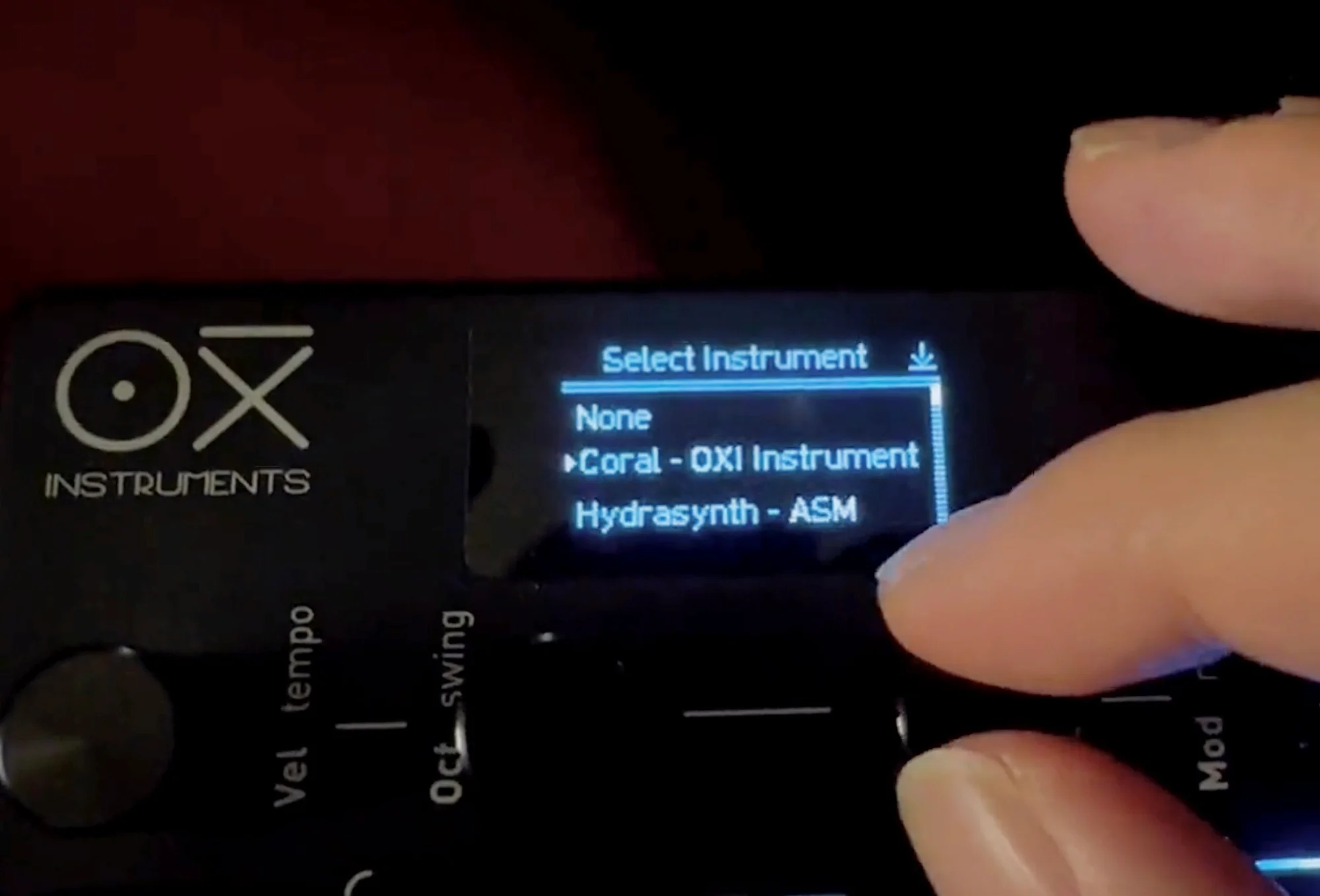
What this means is that when you want to change Coral's filter CutOff from OXI ONE, you don't need to look up the manual and figure out "Let me see, CutOff is which number... it's 1! So on OXI ONE I'll set CC 1..." You can select Coral as the Instrument on the OXI ONE track, and then simply select CutOff on the OXI ONE's display to automatically configure it to send CC 1.
That CC control can be intuitively managed with OXI ONE's knobs and Modulation Lanes. This is also covered in the following OXI ONE introduction article, so please check it out as well. Writing too much would turn this into an OXI ONE introduction, but this is truly a convenient feature...
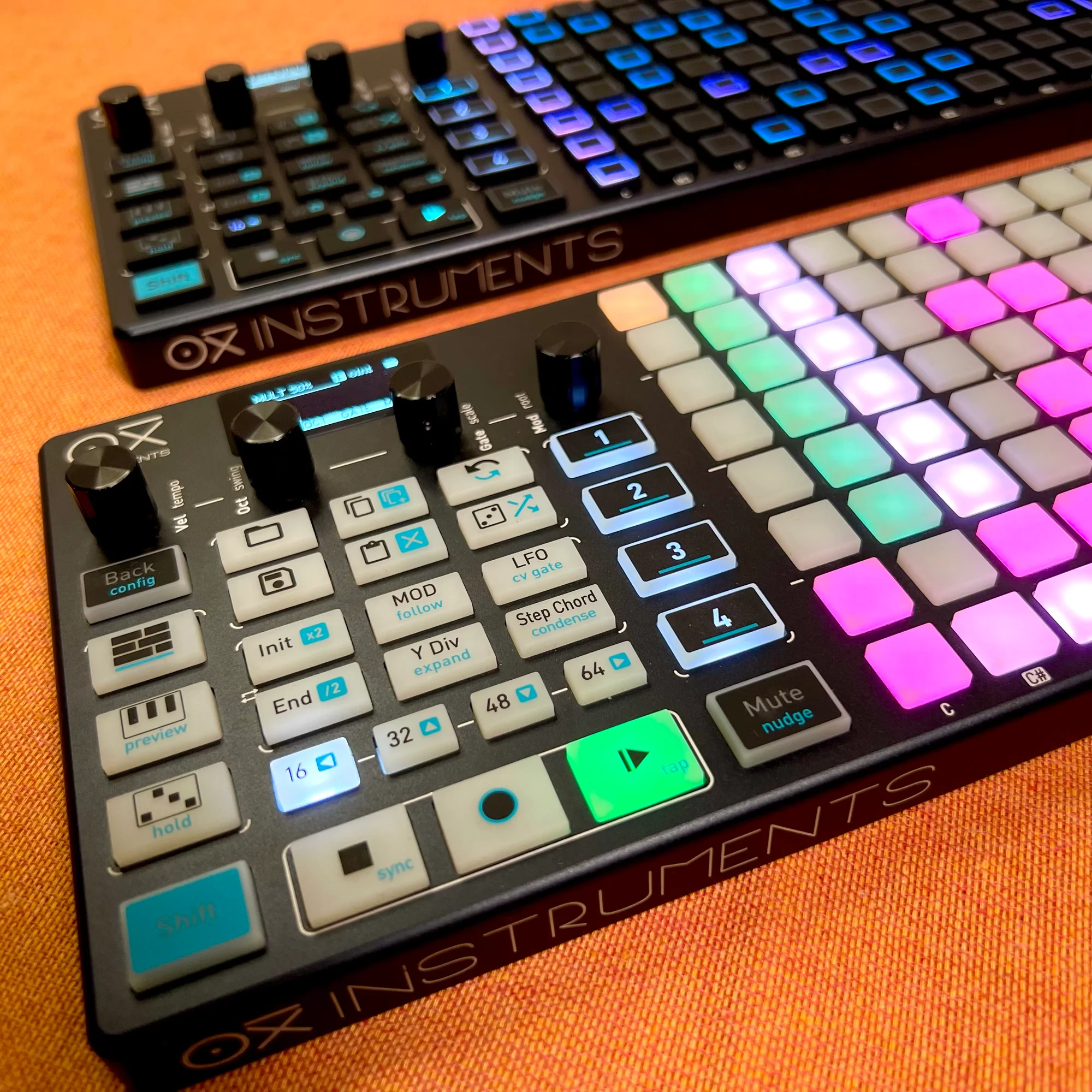
Modules and synthesizers like this Coral, which don't have extensive control interfaces of their own, tend to make CC control cumbersome. OXI ONE greatly lowers that barrier as a sequencer. Please consider them together.
Reference Videos
OXI Instruments' YouTube channel has a playlist of demo videos using OXI Coral. Please check them out on the OXI Instruments YouTube channel below.
Additionally, among the session videos I (Takazudo) have published on YouTube, there are some that use OXI Coral. The following one controls OXI Coral with OXI ONE, with the synth voice being OXI Coral only. Please feel free to use it as a reference.
Updating and Official Web Apps
Coral’s official web apps have separate roles.
Firmware Updater: select engines, build custom firmware, and flash it over USB.
Preset Manager (official support): create and edit parts and presets, and manage preset files for the SD card.
Waveform Generator: create Coral wavetables.
Official support and changelog: current firmware, factory SD resources, and update instructions.
Copy the SD card contents as a backup before updating. The manual states that flashing firmware preserves presets, samples, wavetables, and settings on the card, and that a firmware 2.6 options.txt remains readable. This does not establish complete compatibility for every old preset or guarantee a safe downgrade. Updating does not call for erasing the old SD contents.
Some added engines need resources on the card. Check System/HOUSEKEYS.PCM and System/RHODES.PCM for PianoZ, and .syx banks/patches in the Group 1–10 folders under DX7 Patches/ for FMX7. Put your own Stitcher WAV material directly in the root-level Stitcher/ folder; subfolders are not read.
For flashing, power down the rack, disconnect rack power, and power Coral from USB only. Use a data-capable MicroUSB cable and desktop Chrome or Edge with WebUSB support. Follow “9 COMPANION WEB APPS” in the v3 manual and the official support instructions, including entering update mode with the BOOT button. Do not disconnect the cable while flashing.
Specifications
Width: 14HP
Depth: 3cm
Current consumption: +12V: 110mA / -12V: 10mA / +5V: 0mA
Audio outputs: 2x Mono DC coupled outputs (+/-5V)
Inputs: 1x MIDI TRS (Type A and B compatible) / 8x CV inputs +/-5V (+/-10V max), 1x Gate input
Product Warranty
This product carries a 2-year manufacturer warranty covering normal use under typical operating conditions. Please contact us if you notice any issues with the product.
About OXI Instruments
OXI Instruments is an electronic instrument maker based in Barcelona, Spain.
Best known for the OXI ONE, they also release high-spec, highly practical modules that make full use of digital technology.
Bonus: Modular Accessory Set by 電氣美術研究會 (Denki Bijutsu Kenkyukai) Included
In the hope that more people will get hands-on with modular synths, we have teamed up with 電氣美術研究會 to bundle a modular accessory set with this product.
The contents vary by season — patch cables, power cables, a dress-nut sample set, a mono splitter, and more. The set is included with the product, so please give it a try!
That concludes our introduction of the OXI Coral.
We hope you find this helpful.