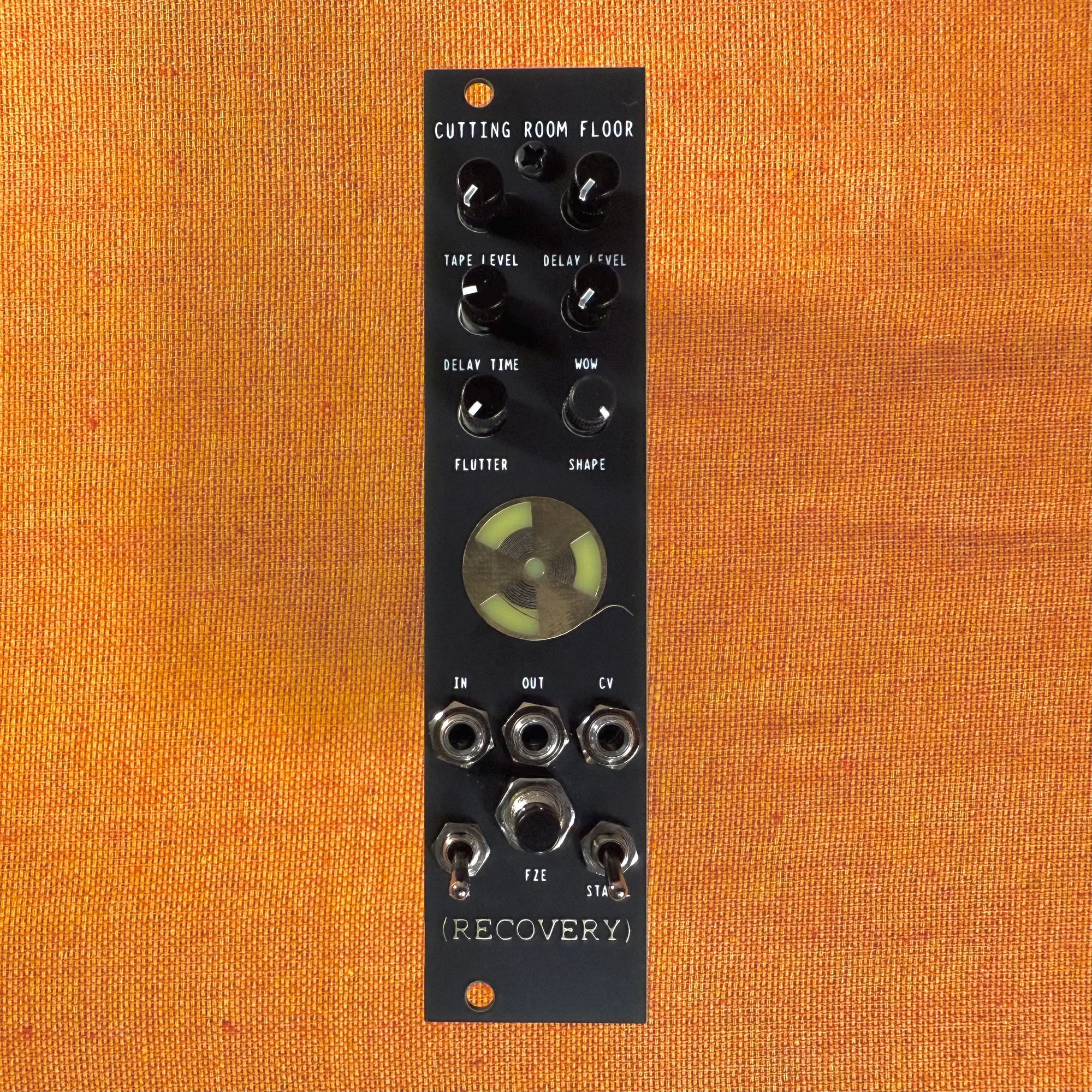
This is an introduction and overview of the Cutting Room Floor V3 by Recovery Effects And Devices, available at Takazudo Modular.
The Cutting Room Floor V3 recreates the saturation and echo characteristics of reel-to-reel tape machines in Eurorack format. It offers fine control over analog-style wobble and distortion, enabling lo-fi reverberations and spatial processing. With a freeze switch and CV input for control, it also delivers solid performance capabilities in a compact 6HP effect module.
This product is available for purchase below.
- Product Photos
- The Sound of the Cutting Room Floor V3
- How Tape Works
- Tape Saturation
- Tape Delay
- Tape Wobble: Wow
- Freeze Function
- When to Use the Cutting Room Floor V3
- Related Module: ADDAC112 VC Looper & Granular Processor
- Specifications
- Included Items
Product Photos
The Sound of the Cutting Room Floor V3
The Cutting Room Floor V3 is a module that simulates reel-to-reel tape machines as a usable effect unit. I’d like to explain its features, but first, it’s probably best to hear what it sounds like.
Below is a demo video from the official Recovery Effects And Devices YouTube channel.
In this demo, a piano melody is playing, but it sounds distinctly vintage. While the original piano sound isn’t shown in the video, the source is presumably a normal piano performance with no fluctuation whatsoever. Additional synth sounds and drums are also mixed in, and you’ll notice an overall impression of Saturation across everything.
When you run audio through the Cutting Room Floor V3, you get this saturation, pitch wobble, and Delay/Echo effects. The original audio signal goes into the IN jack, and the processed signal comes out of the OUT jack.
How Tape Works

Even if you don’t know the mechanics behind the tape this module simulates, you’ll get a somewhat nostalgic, vintage sound quality just by using it. However, understanding what it’s simulating will help you appreciate and enjoy this module more. So let me give a brief explanation of how tape recording and playback works.
When trying to understand tape, it helps to think of a cassette tape in a boombox. I’m writing this at 42 years old, so “remember cassette tapes?” is natural for me, but I can imagine younger readers might be thinking “Cassette tapes? What are those?” Still, I’ll proceed assuming you can roughly picture them.
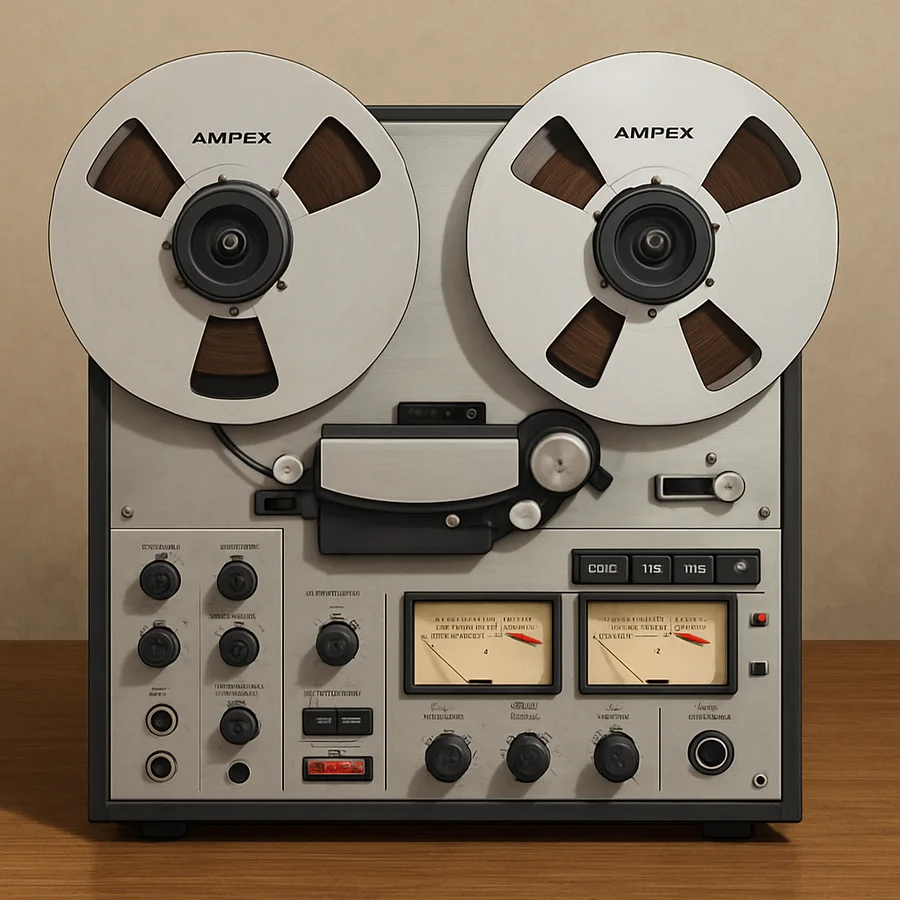
A cassette tape has two reels. The left reel holds the tape yet to be played. Imagine it contains, say, 15 minutes of previously recorded audio. The right reel takes up the tape after it’s been played and starts empty. When you press play, both reels rotate at the same speed, feeding the tape from left to right. Between the two reels, where the tape passes through, there’s a component called the playback head that reads the audio. As the tape passes over it, the recorded sound is played back. That’s the basic mechanism of a cassette tape.
What the Cutting Room Floor V3 simulates is the analog open-reel tape, the ancestor of the cassette tape. While cassette tapes enclose the tape within a cassette with the record/playback heads built into the player, open-reel tape has the tape and reels as separate components. Using wider, longer tape enables superior audio quality recording.
These illustrations were created by asking AI to “make something that looks realistic.”
Tape Saturation
So what happens to audio when it’s recorded onto tape?
The first key point is that the original audio inevitably degrades through tape recording. And this quality degradation manifests as a saturation effect — that’s the first important concept.
What exactly is tape? Visually, it looks like black or brown adhesive tape. The tape is made of a plastic base coated with magnetic particles (like iron oxide or metal powder). During recording, the original audio exists as an electrical signal (voltage changes), which the recording head converts into magnetic fields, magnetizing the particles on the passing tape in specific orientations. It’s about creating magnetic changes, like north and south poles, on the tape.
During playback, the reverse occurs: the playback head reads the magnetic patterns on the tape and converts them back into voltage changes, which are sent to speakers or headphones to produce sound.
In other words, looking at the overall flow:
Voltage → Magnetic signal → Voltage
There are two stages of conversion happening here. Through this recording and playback process, changes to the original audio quality are unavoidable. With digital, audio quality doesn’t degrade and you get an identical copy. Like copying an MP3 file on a computer to create a duplicate. But tape recording is like a highly skilled painter copying someone else’s painting. Even with remarkable accuracy, it’s never perfectly identical.
Tape saturation refers to this quality change in audio that occurs through recording to and playing back from the tape medium. For example, higher frequency components are harder to record magnetically, so high-end frequencies tend to suffer more loss during recording and playback. Also, when the input voltage is too high, magnetic saturation occurs in the particles, creating a distinctive distortion that’s somewhat broken yet not completely crushed. Rather than simply clipping peaks, this appears as a smooth, rounded change characteristic of the tape medium, which is the effect known as Tape Saturation.
These sonic changes from tape are often described as having a “warm sound.” Unlike digital clipping (where peaks are abruptly cut off), this organic, tape-specific distortion quality gives it character. Using the painting metaphor: “It’s different from the original, but somehow I prefer this copy” — that’s the kind of unintentional nuance and charm at play.
Getting back to the Cutting Room Floor V3’s features: this module simulates that Tape Saturation effect. The TAPE LEVEL knob adjusts the intensity of tape saturation. Turning this knob to the right lets you hear the saturation being applied to the original audio.
Tape Delay
Next, let’s talk about Tape Delay.
So tape recording degrades audio but can sound great — and you can also use this recording/playback mechanism to create a delay effect. That’s Tape Delay.
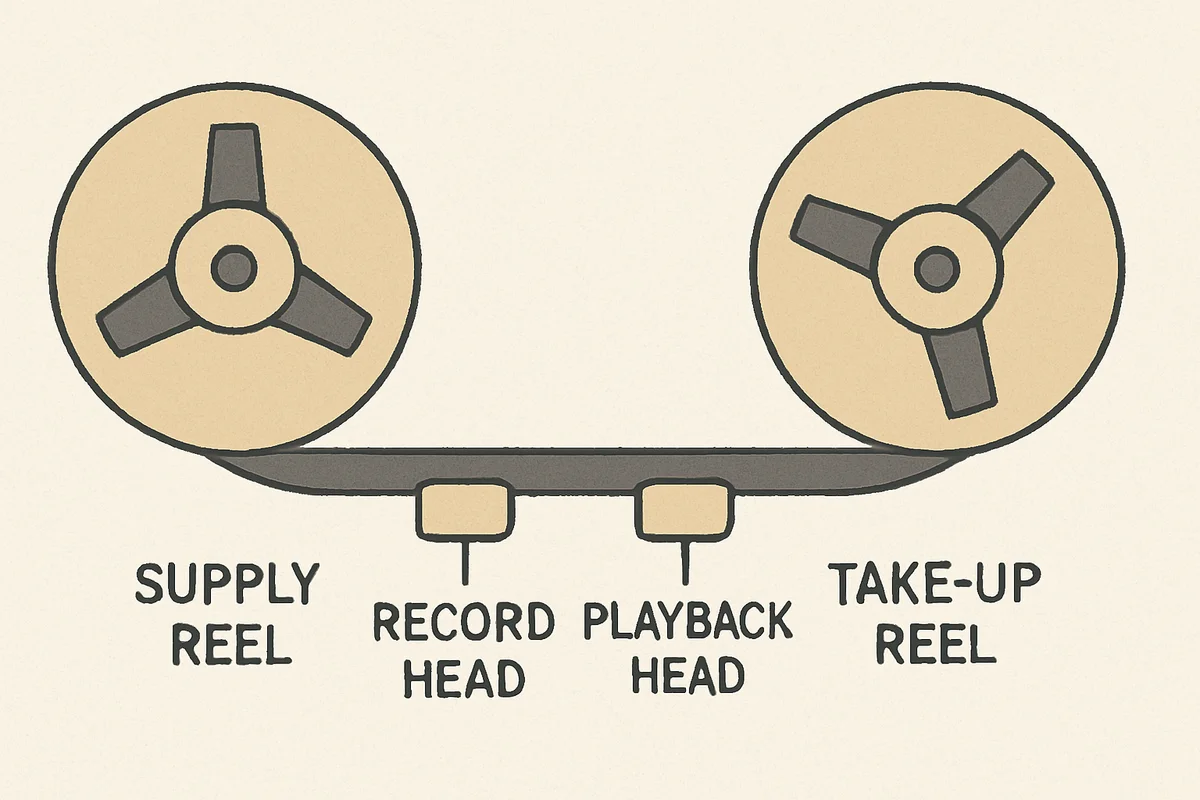
Recall the cassette tape mechanism from earlier: tape feeds from the left reel to the right, with a playback head in between to read the tape’s content. Now let’s also consider the “recording head” that writes to the tape. (The diagrams are simplified.)
The recording head is the component that writes audio voltage signals onto the tape. Let’s assume we’re recording audio picked up by a microphone. What happens if you place the recording head just before the playback head? First, audio is recorded onto the tape at the recording head position. Then, as the reel turns slightly, that recorded section of tape moves to the playback head position, which reads the magnetic information and plays it back through the speaker. The result is that the recorded audio plays back after a slight time delay. In essence, this is the same as a standard delay — and that’s the basic mechanism of Tape Delay.
Faster reel rotation means shorter delay intervals; slower rotation means longer ones. And naturally, the delayed sound has saturation applied to it. This unique Delay + Saturation combination has kept tape popular even in the modern post-tape era, with people sometimes using vintage equipment intentionally or digitally simulating the effect.
The Cutting Room Floor V3 also simulates this Tape Delay. The DELAY LEVEL knob adjusts the delay volume, and the DELAY TIME knob adjusts the delay time. Turning it right creates longer delay intervals, while turning it left creates very short intervals approaching a chorus-like effect.
DELAY TIME can be controlled via CV through the CV jack. In my testing, it responded to voltages around -5V to +3V. Additionally, the S/R switch in the lower left of the panel toggles between single-repeat delay (down position) and repeating/looping delay (up position). Think of repeating tape as having multiple playback heads.
Tape Wobble: Wow

The Cutting Room Floor V3 also simulates tape wobble. In the initial demo video, you may have noticed the piano sounding unstable, like a slightly broken piano. This is an effect caused by continuous changes in tape playback speed, known today as the Wow effect.
Up to this point, I’ve been writing as if the tape reels rotate at a constant speed. However, with aged tape players, the reel speed can become inconsistent. Additionally, deterioration of the tape itself or winding irregularities can prevent perfectly uniform playback speed. When this happens, the tape passing over the playback head speeds up and slows down, resulting in unstable pitch.
While this is purely negative from the perspective of faithfully reproducing the original audio, it can be musically valuable in many ways, such as creating the nostalgic atmosphere heard in the demo video.
The Cutting Room Floor V3 provides the following interfaces related to the Wow effect:
WOWknob: Adjusts the intensity of longer-period speed fluctuation (Wow effect)FLUTTERknob: Adjusts the intensity of shorter-period speed fluctuation (Flutter effect)SHAPEknob: Adjusts the Flutter effect’s modulation shape — triangle wave on the left, square wave on the rightSTABILswitch: Stability ON/OFF — upper position enables Flutter, lower position disables it
I recommend starting with the FLUTTER knob at 0 and experimenting with just the WOW knob first. Turning the WOW knob right, you’ll hear the original audio wobble dramatically. Turning the FLUTTER knob right adds finer fluctuations, known as the Flutter effect. In actual tape players, the Flutter effect corresponds to vibration of the machine itself or movement of the playback head. In practice, you’d combine the WOW and FLUTTER knobs to create your preferred wobble.
In modular synth terms, think of the WOW knob as the depth of an LFO modulating the original pitch, the FLUTTER knob as the depth of a secondary LFO modulating the Wow LFO, and the SHAPE knob as changing the waveform of that Flutter LFO.
Freeze Function
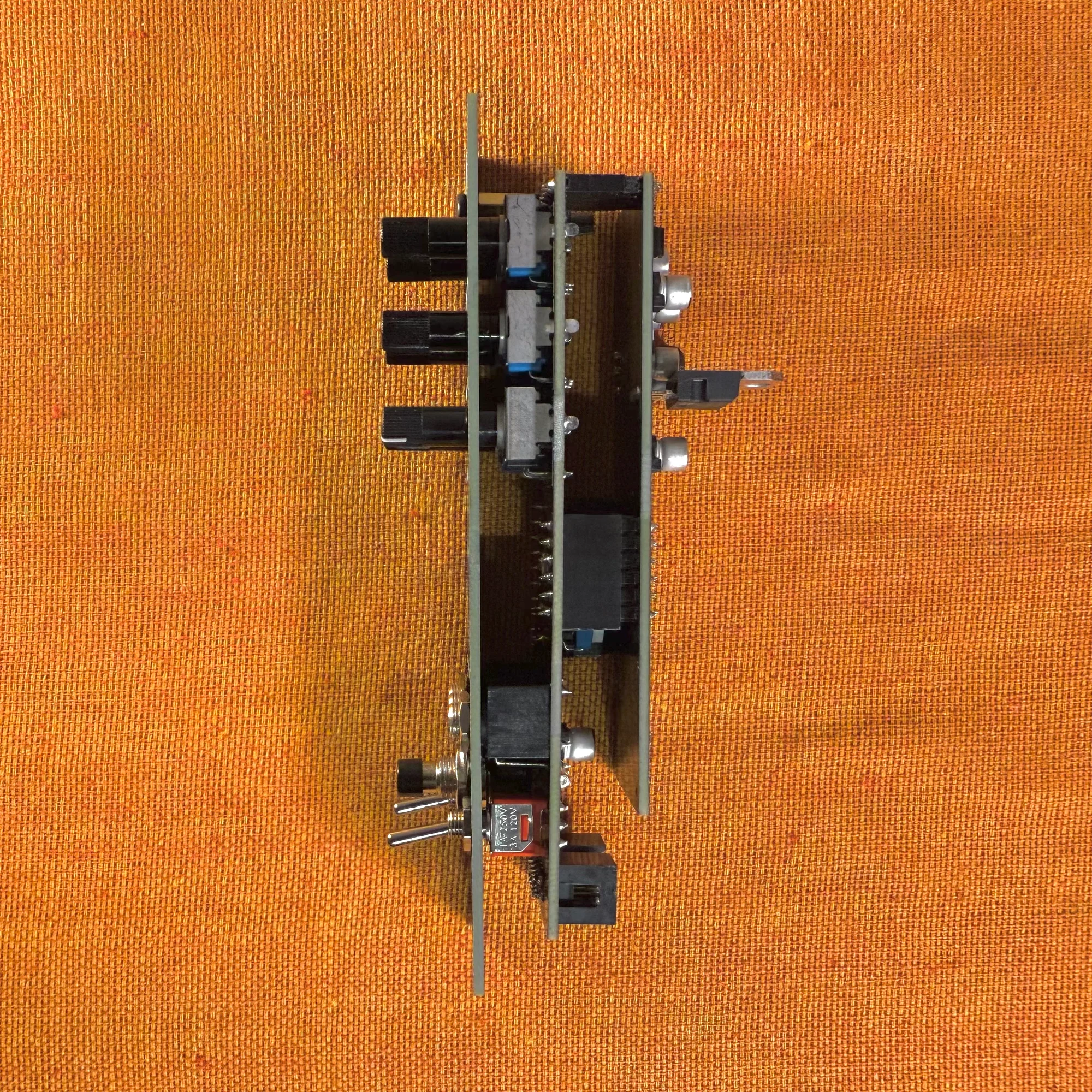
The Cutting Room Floor V3 also features a Freeze function.
This Freeze function operates continuously while you hold down the FZE button at the bottom of the panel. While pressed, the audio captured on the virtual tape loops in continuous playback. This creates an effect where the sound playing at that moment sustains and resonates continuously while the button is held.
Furthermore, while using the Freeze function, the behavior of the DELAY LEVEL knob changes as follows:
- 12 o’clock position becomes the reference (zero) point
- Turning left: Sound shifts toward an Ampex 456 tape character (soft and dirty texture)
- Turning right: Sound shifts toward an Ampex 499 tape character (high-resolution and punchy sound)
Ampex 456 and Ampex 499 are model names of analog open-reel tapes. Each has its own characteristics, and the Cutting Room Floor V3 reproduces and lets you switch between these textures.
The finer details of the Freeze function are probably difficult to fully understand without hands-on experience, but think of it as a bonus feature that adds performance dynamics to the Freeze function.
When to Use the Cutting Room Floor V3
That covers the features of the Cutting Room Floor V3.
From my experience trying the modules from this brand, Recovery Effects And Devices modules seem to reflect a commitment to the quality of distortion, which isn’t surprising given their extensive line of guitar pedals. The saturation this module produces feels like a signature of the brand’s identity.
As a modular synth module, being able to add Wow effects in such a compact format is a noteworthy selling point. The reel-shaped LEDs that light up are a fun visual touch, and when building a Eurorack setup, the sounds tend to lean toward the polished, synthesizer-like side. The Cutting Room Floor V3 lets you easily add dirty, lo-fi sonic character to your setup, which is what makes this module appealing.
Related Module: ADDAC112 VC Looper & Granular Processor
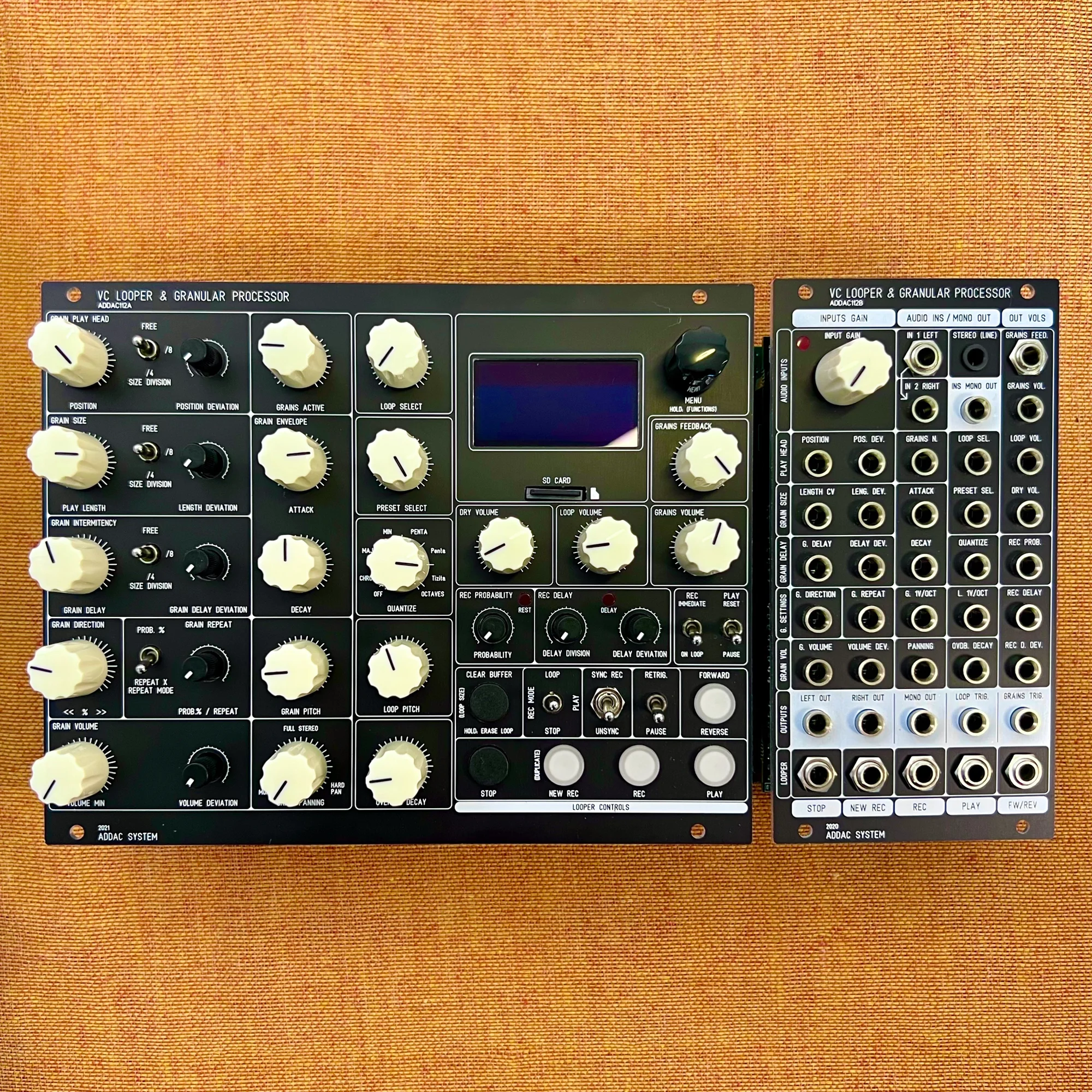
As a related module, I’d like to also introduce the ADDAC System ADDAC112 VC Looper & Granular Processor:
This module is based on the Looper function — recording audio and repeating it — which is essentially the modern evolution of the tape mechanism.
The ADDAC112 doesn’t have saturation, but it offers rich functionality including the ability to change the speed of recorded audio and choose from multiple variation algorithms.
On top of that, it includes a Granular Processor function that chops the virtual tape recording into tiny pieces and plays them back in fragmented patterns. While many brands offer Granular Processors in the modular world, the ADDAC112 stands out for its diverse parameters, CV-controllable recording/playback operations, and emphasis on an analog operational feel — making it a deep and rewarding module.
If tape has piqued your interest, the ADDAC112 is well worth exploring.
Specifications
- Width: 6HP
- Depth: 43mm
- Power consumption: 150mA +12V / 0mA -12V / 0mA +5V
Included Items
- Power ribbon cable
- Screws
Recovery Effects Devicesについて
Recovery Effects Devicesはアメリカシアトルのモジュラーシンセメーカーです。
このメーカーのモジュールは非常に実験的でありつつも、実用性が高いユニークなモノばかりです。現在最も看板となっているモジュールは「Cutting Room Floor」で、これは高度にサンプルスライシングとグリッチを行うことができる、他では見ないタイプのモジュールとなっています。
オマケ: 電氣美術研究會モジュラー小物セット付き

モジュラーシンセをもっと多くの方に触って欲しいという願いの元、電氣美術研究會さまにご協力頂き、モジュラー小物セットを本商品にバンドルさせて販売させていただいております。
パッチケーブルや電源ケーブル、ドレスナットのサンプルセット、モノラルスプリッターなど、内容は時期に応じて変化します。商品に同梱しますので是非お試し下さい!
That concludes our introduction of the Cutting Room Floor V3.
We hope you find this helpful.