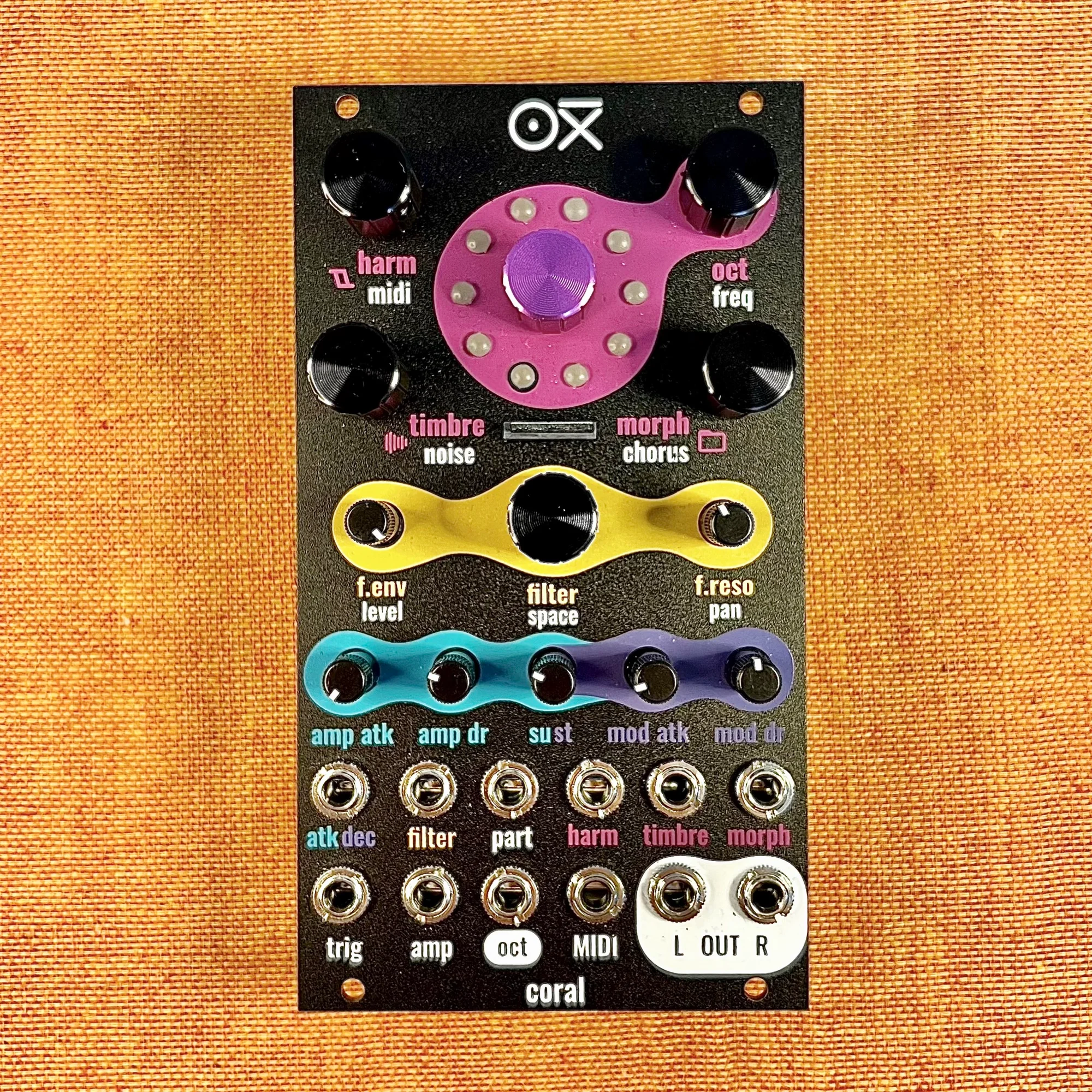
This is an introduction to the OXI Coral by OXI Instruments, available at Takazudo Modular.
OXI Coral is an 8-voice multitimbral polyphonic synthesizer module. With built-in effects like chorus and reverb, a low-pass filter, custom wavetable support, and multiple firmware options, it’s a high-spec module that fully leverages the advantages of digital modules.
This product is available for purchase below.
Takazudo Modularではマニュアル等の日本語訳付きを作成し、公開しています。以下よりご参照下さい。
- What Are Digital Modules?
- What Kind of Module is OXI Coral?
- OXI Coral and Plaits
- Extensive Custom Firmware
- OXI Coral’s Part Function
- OXI Coral and OXI ONE
- Reference Videos
- Manual & Firmware & Wave APP
- Specifications
What Are Digital Modules?
OXI Coral is a high-spec digital module. Before diving into this module’s features, let’s briefly touch on what types of modules are referred to as digital modules.
In the world of modular synthesizers, “digital modules” generally refers to modules that utilize high-processing-power IC chips, or modules where developers write their own programs and install them on IC chips built into the module. The opposite is “analog modules,” which refers to modules built the traditional way by combining analog circuit components such as transistors, resistors, and capacitors. Analog modules are sometimes described with the word “discrete,” a term you may occasionally encounter on modular-related websites.
However, this distinction doesn’t carry great significance, and where to draw the line on what constitutes “discrete” analog components is quite ambiguous. Digital modules certainly use analog components too, and since there are various types of ICs, it’s sufficient to understand that in today’s era, such digital components have become commonly used.
The key takeaway here is that recent technological advances have made it possible to use highly capable processing components at affordable prices, even in compact devices like modular synthesizer modules.
What Kind of Module is OXI Coral?
Getting back to OXI Coral — this is a synthesizer module built to fully leverage such high-spec digital components. While it’s based on an oscillator, it can simultaneously produce 8 voices and includes a low-pass filter, chorus, reverb, and other effects, so here we’ll refer to OXI Coral as a synth module.
OXI Coral’s features are quite diverse, so let’s start with a rough translation of the 9 key points listed on the official website. This should help you understand that Coral is not just an oscillator, but a multi-featured synthesizer.
1. Fat Sound
With substantial computing power, it provides a rich 8-voice sound engine.
Depending on the engine, a single voice can have up to 8 oscillators, meaning it’s possible to have 64 oscillators sounding at once.
2. Polyphonic
Coral has an 8-voice configuration. Each voice has independent filter, amp, modulation, envelope, and effect send, all of which can be individually controlled.
Fine control is possible via MIDI, but it can also be played with 1 Gate and 1 CV (V/Oct). In this case, each time a new voice is triggered, it’s assigned to a different voice for playback.
Coral’s Gate and 1V/Oct Input
Coral has only one Gate input and one 1V/Oct input. So it cannot play multiple pitched notes simultaneously, but each time a new Gate is received, it assigns the current 1V/Oct pitch to a new voice for playback — this is why it’s referred to as polyphonic here. With a mono synth, the first note would stop when a second note is triggered, but Coral doesn’t behave that way.
3. Multi-Engine
From 10 available engines, different sound engines can be assigned to each voice. New engines become available through firmware updates.
4. Multi-Part
The 8 voices can be freely divided into different parts. All parameters — filter, envelope settings, engine, FX send, pan, etc. — can be set independently per part or per voice, allowing you to quickly create complex patches.
5. Sample Playback
Coral can play wav files from a user-modifiable SD card, supporting nearly all types of wav files (16-bit, 24-bit, 32-bit mono and stereo files). And there’s no limit on playback time!
You can add overdrive to samples, shape the sound using filter and envelope, and control pitch with tune. You can also change sample files or folders in real-time using CV input or CC MIDI commands.
6. Custom Wavetables
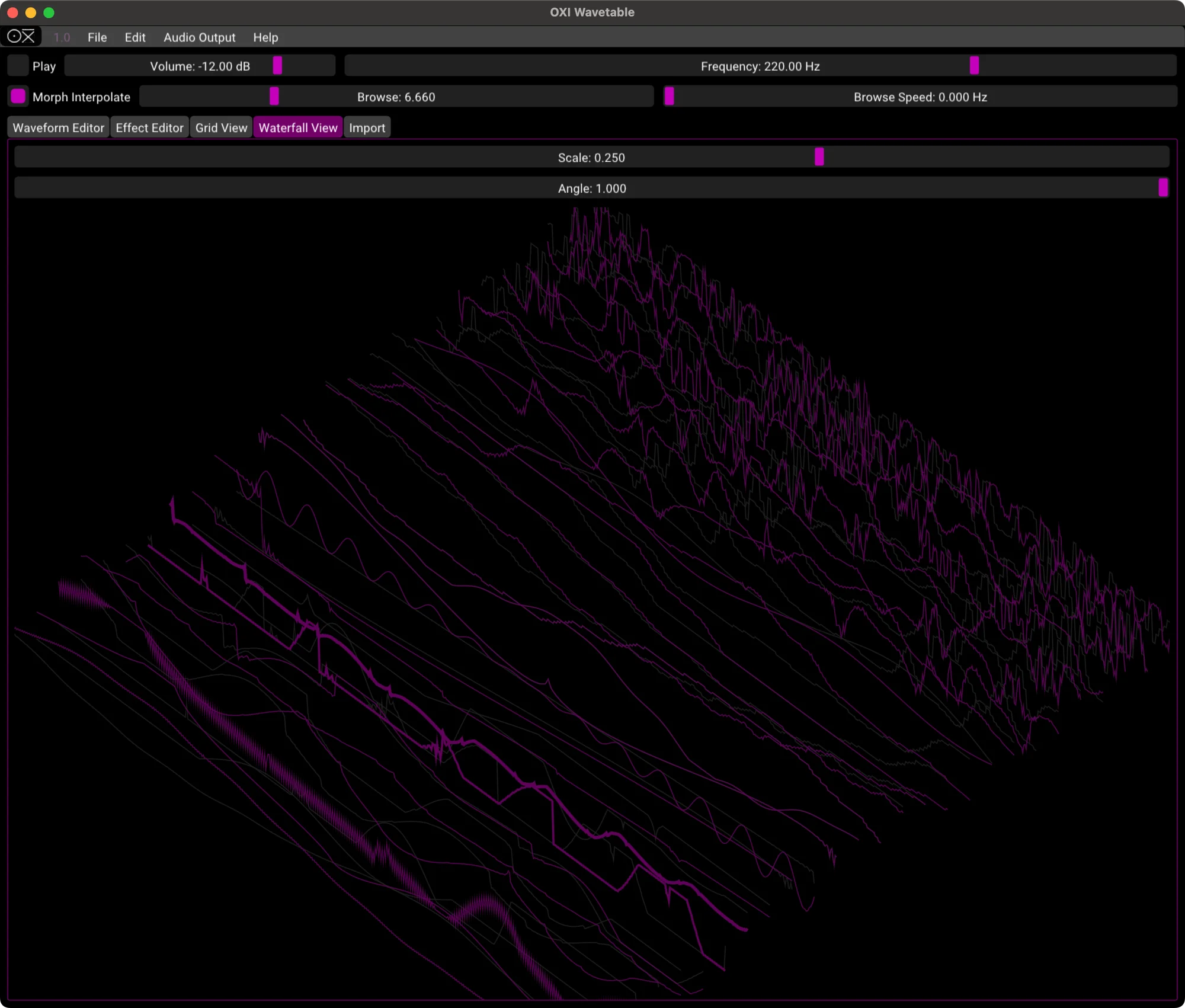
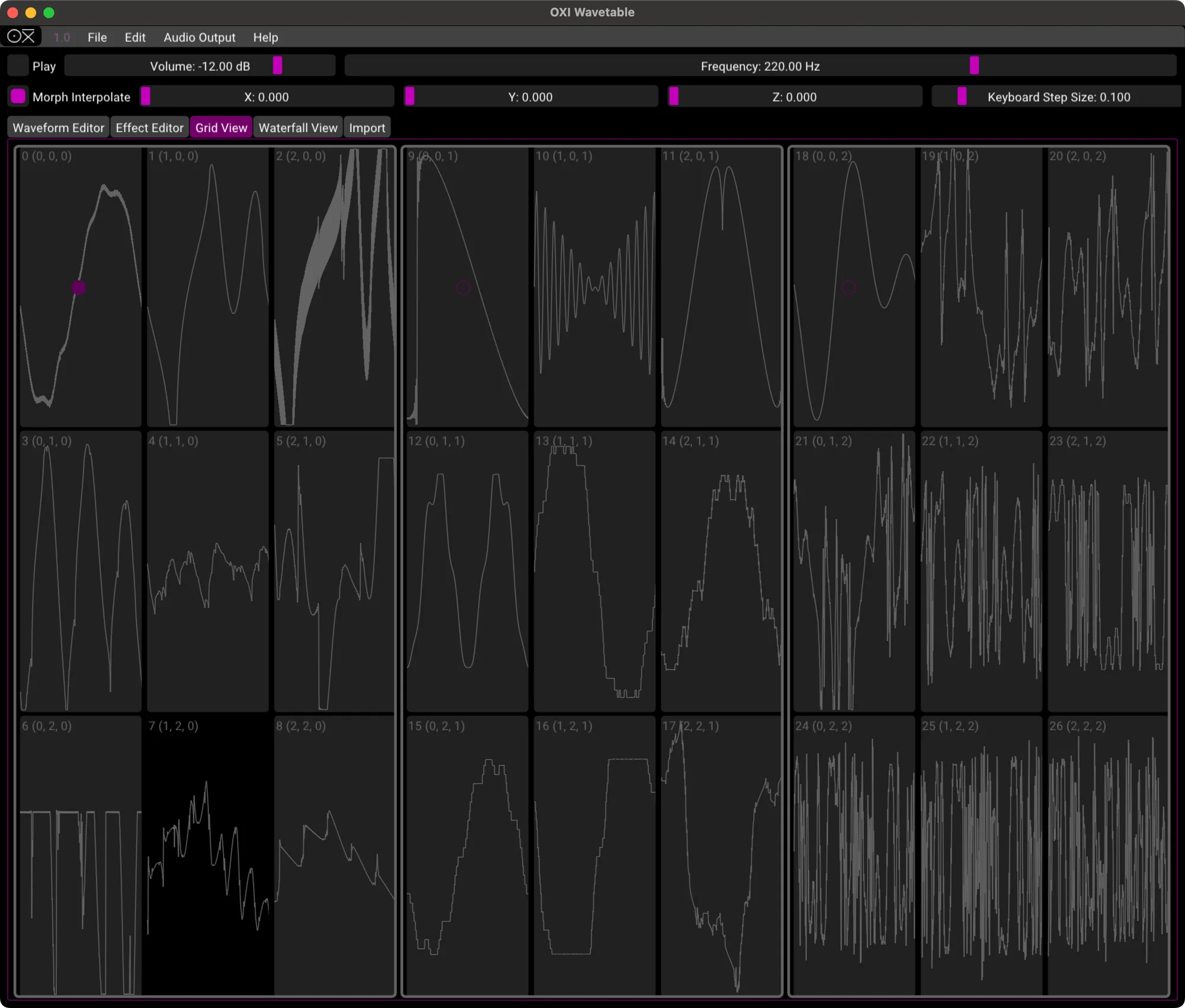
You can load any wavetable .wav file onto the SD card for use with the wavetable engine. Wavetables can be morphed in 3D. Use the OXI Wave APP to create and edit 3D wavetables.
7. MIDI Integration
Using MIDI CC, you can control any parameter from FX send to sample selection. Combined with CV control, this creates a compact yet powerful combo.
8. Effects
You can use deep, rich ensemble chorus from the built-in Space engine. The built-in effect send can be configured per voice.
9. MPE
Through a firmware update, MPE is now supported. This has evolved it into a fully polyphonic 8-voice MPE synthesizer.
OXI Coral and Plaits
For those already fairly knowledgeable about modular synthesizers — OXI Coral’s default firmware sounds quite similar to Mutable Instruments’ open-source module, Plaits.
This is because OXI Coral’s sound engines are built with reference to the Plaits engines. This is mentioned on the OXI Coral web page as follows:
It brings an awesome sound thanks to its selection of powerful engines from MI Plaits plus custom ones like the MDO, the triple axis Wavetable and the new distorted Harmonic Osc.
Think of OXI Coral as Plaits with the addition of the sample playback, custom wavetable, and effects features described above, built into an 8-voice configuration with MIDI control — that might make it easier to understand.
Extensive Custom Firmware
However, OXI Coral doesn’t simply use the Plaits engines as-is — uniquely developed sound engines are also available, provided as custom firmware. As of April 2024, the following 3 additional firmware options are available:
- Additive Engine (additive synthesis)
- Acid + Additive Engine
- 3VCO Moog Engine
Installing these firmware is surprisingly easy — connect to a PC/Mac via USB cable and update right in the browser. Diving deep into each of these engines is quite enjoyable in itself.
OXI Coral’s Part Function
Let’s touch a bit more on Coral’s part function.
Even though Coral has 8 voices, it’s not limited to playing one preset in 8-voice polyphony. Oxi Coral has a concept called “parts.” For example, you can set the first part as a 4-voice synth, the second part as a bass drum with 1 voice, the third part as a hi-hat with 1 voice, and so on — it has a part function that allows free grouping of the 8 voices.
By fully utilizing this part function and MIDI control, it’s possible to have OXI Coral alone handle the sound sources for an entire track or live performance. The part function elevates OXI Coral’s potential to that of a highly customizable multi-part, multitimbral synthesizer.
OXI Coral and OXI ONE
OXI Coral has excellent compatibility with OXI ONE, the sequencer from the same company OXI Instruments. Rather, it seems as though OXI ONE came first, and Coral was designed as the perfect companion module.
As described above, OXI Coral has many features, and nearly all of them can be controlled via MIDI CC. However, the number of knobs, buttons, and jacks on the OXI Coral itself is limited.
Instruments Definition
OXI ONE has MIDI output capability. It can also build multiple CC sequences for each channel. Furthermore, with the firmware 4.0 update, OXI ONE added the Instruments Definition feature — a function where you can select from preset parameter mappings of well-known MIDI devices.
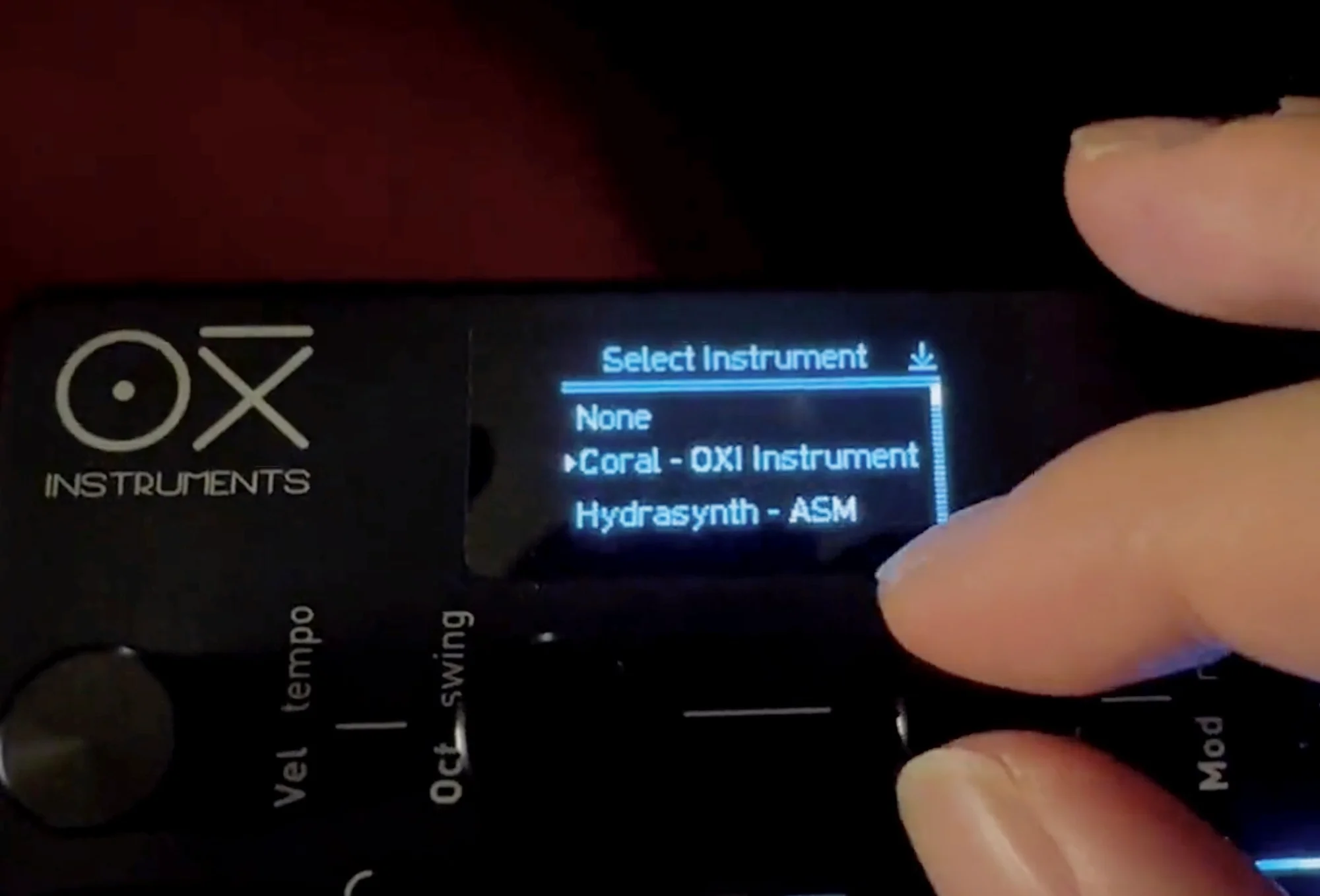
What this means is that when you want to change Coral’s filter CutOff from OXI ONE, you don’t need to look up the manual and figure out “Let me see, CutOff is which number… it’s 1! So on OXI ONE I’ll set CC 1…” You can select Coral as the Instrument on the OXI ONE track, and then simply select CutOff on the OXI ONE’s display to automatically configure it to send CC 1.
That CC control can be intuitively managed with OXI ONE’s knobs and Modulation Lanes. This is also covered in the following OXI ONE introduction article, so please check it out as well. Writing too much would turn this into an OXI ONE introduction, but this is truly a convenient feature…
Modules and synthesizers like this Coral, which don’t have extensive control interfaces of their own, tend to make CC control cumbersome. OXI ONE greatly lowers that barrier as a sequencer. Please consider them together.
Reference Videos
OXI Instruments’ YouTube channel has a playlist of demo videos using OXI Coral. Please check them out on the OXI Instruments YouTube channel below.
Additionally, among the session videos I (Takazudo) have published on YouTube, there are some that use OXI Coral. The following one controls OXI Coral with OXI ONE, with the synth voice being OXI Coral only. Please feel free to use it as a reference.
Manual & Firmware & Wave APP
The OXI Coral manual (English only) is available at the following web page.
OXI Coral firmware can be downloaded from the following link. Notably, OXI Coral has multiple firmware options available, each offering different synth sounds. Please give them a try.
Additionally, the “Wave APP” for editing OXI Coral’s built-in wavetables is also available. Please make use of it.
Specifications
- Width: 14HP
- Depth: 3cm
- Current consumption: +12V: 110mA / -12V: 10mA / +5V: 0mA
- Audio outputs: 2x Mono DC coupled outputs (+/-5V)
- Inputs: 1x MIDI TRS (Type A and B compatible) / 8x CV inputs +/-5V (+/-10V max), 1x Gate input
OXI Instrumentsについて
OXI Instruments はスペインのバルセロナを拠点とする電子楽器メーカーです。
OXI ONEを代表とし、デジタル技術を活かしたハイスペックで利便性の高いモジュールもリリースしているのが特徴です。
オマケ: 電氣美術研究會モジュラー小物セット付き
モジュラーシンセをもっと多くの方に触って欲しいという願いの元、電氣美術研究會さまにご協力頂き、モジュラー小物セットを本商品にバンドルさせて販売させていただいております。
パッチケーブルや電源ケーブル、ドレスナットのサンプルセット、モノラルスプリッターなど、内容は時期に応じて変化します。商品に同梱しますので是非お試し下さい!
That concludes our introduction of the OXI Coral.
Takazudo Modularではマニュアル等の日本語訳付きを作成し、公開しています。以下よりご参照下さい。
We hope you find this helpful.