This is an introduction to the OXI Meta by OXI Instruments, available at Takazudo Modular.
OXI Meta is a live performance-oriented stereo effects module with 6 switchable transition effects. It enables the kind of dynamic transitions commonly used in dance music with high-quality effects.
This product is available for purchase below.
- Product Photos
- OXI Meta Features
- OXI Meta Walkthrough Video
- OXI Meta’s Built-in Effects
- Ready-to-Use Effects+
- Performance-Oriented Interface
- Combining with OXI ONE and OXI Coral
- Videos Using OXI Meta
- Other Reference Videos
- Manual
- Included Accessories
- Technical Specifications
Product Photos
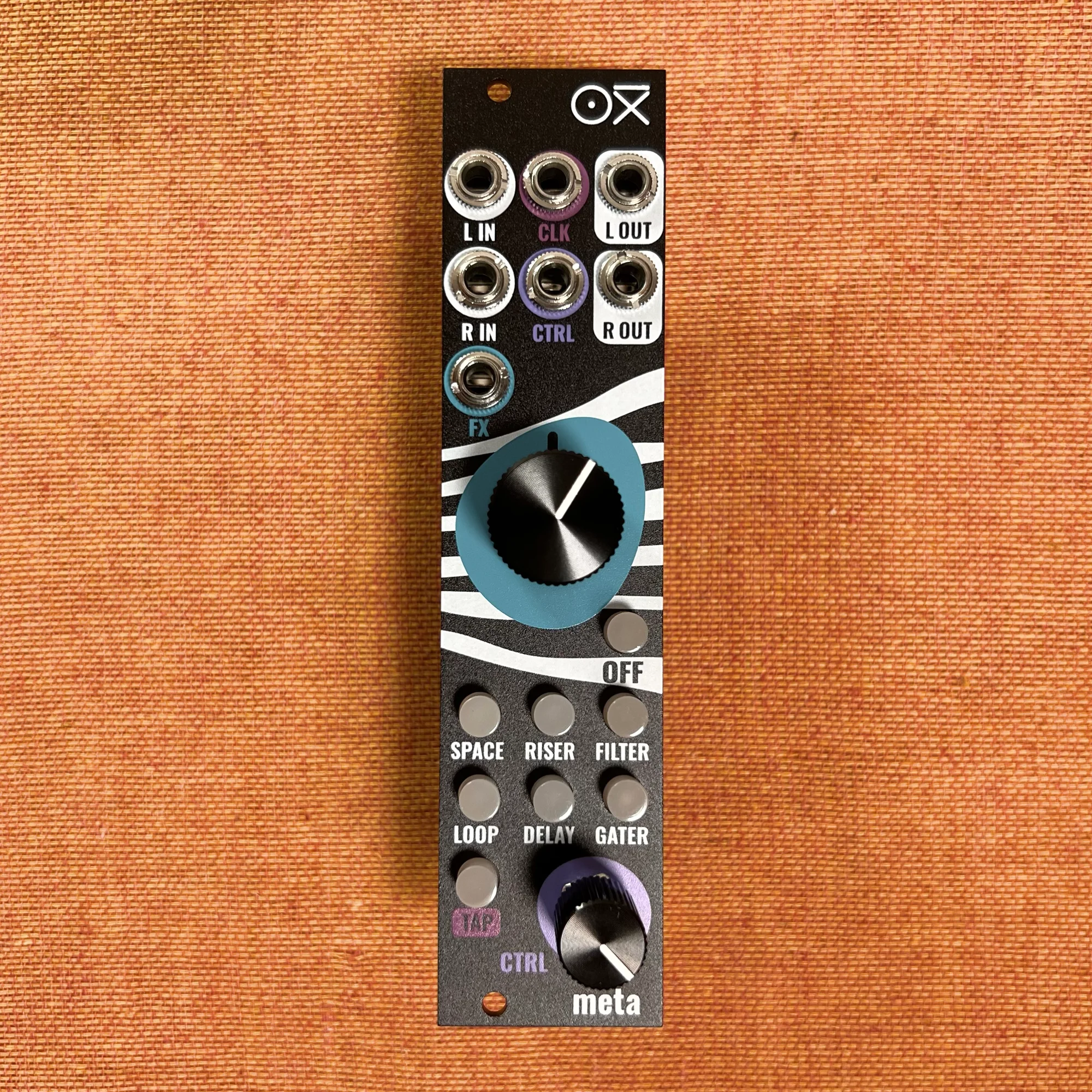
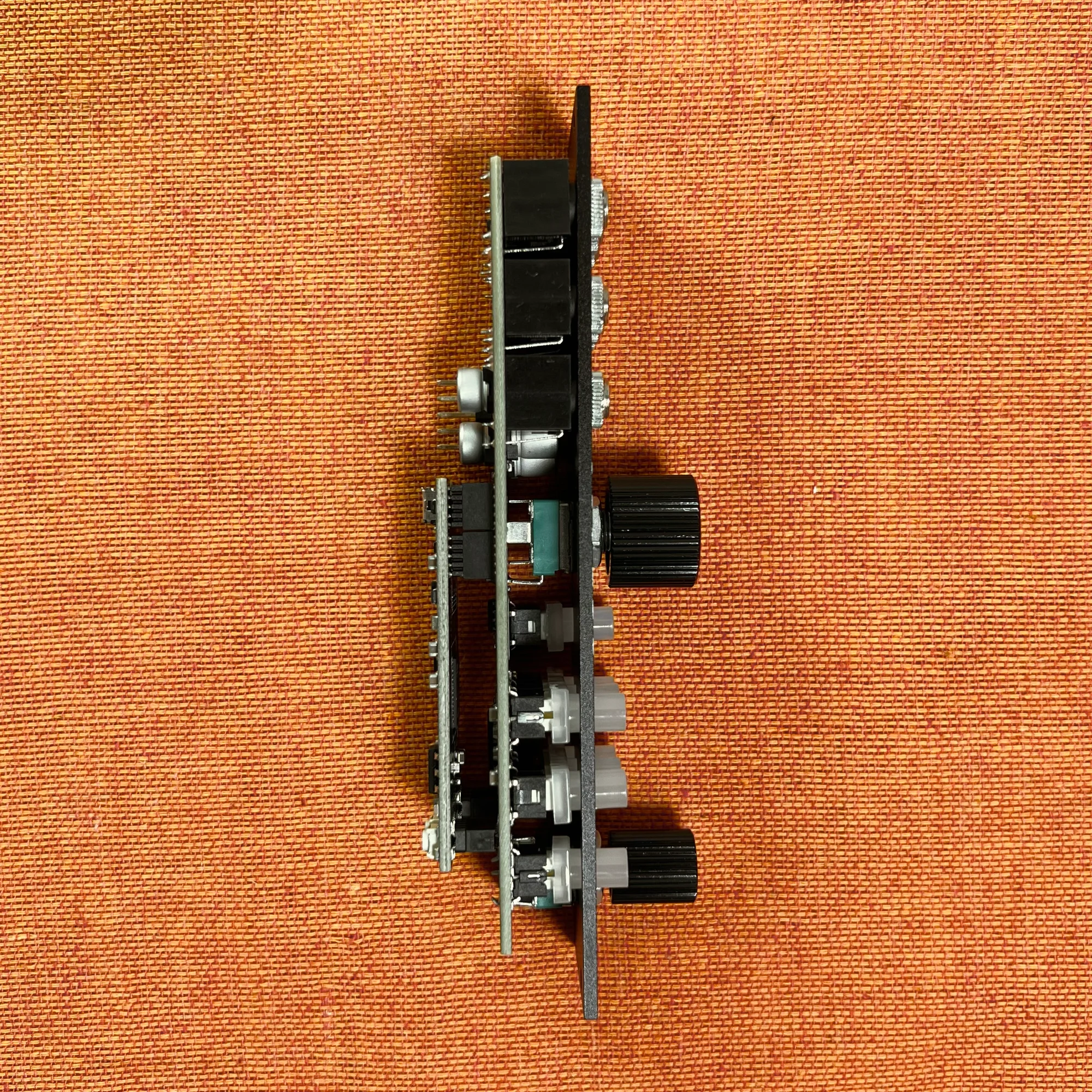
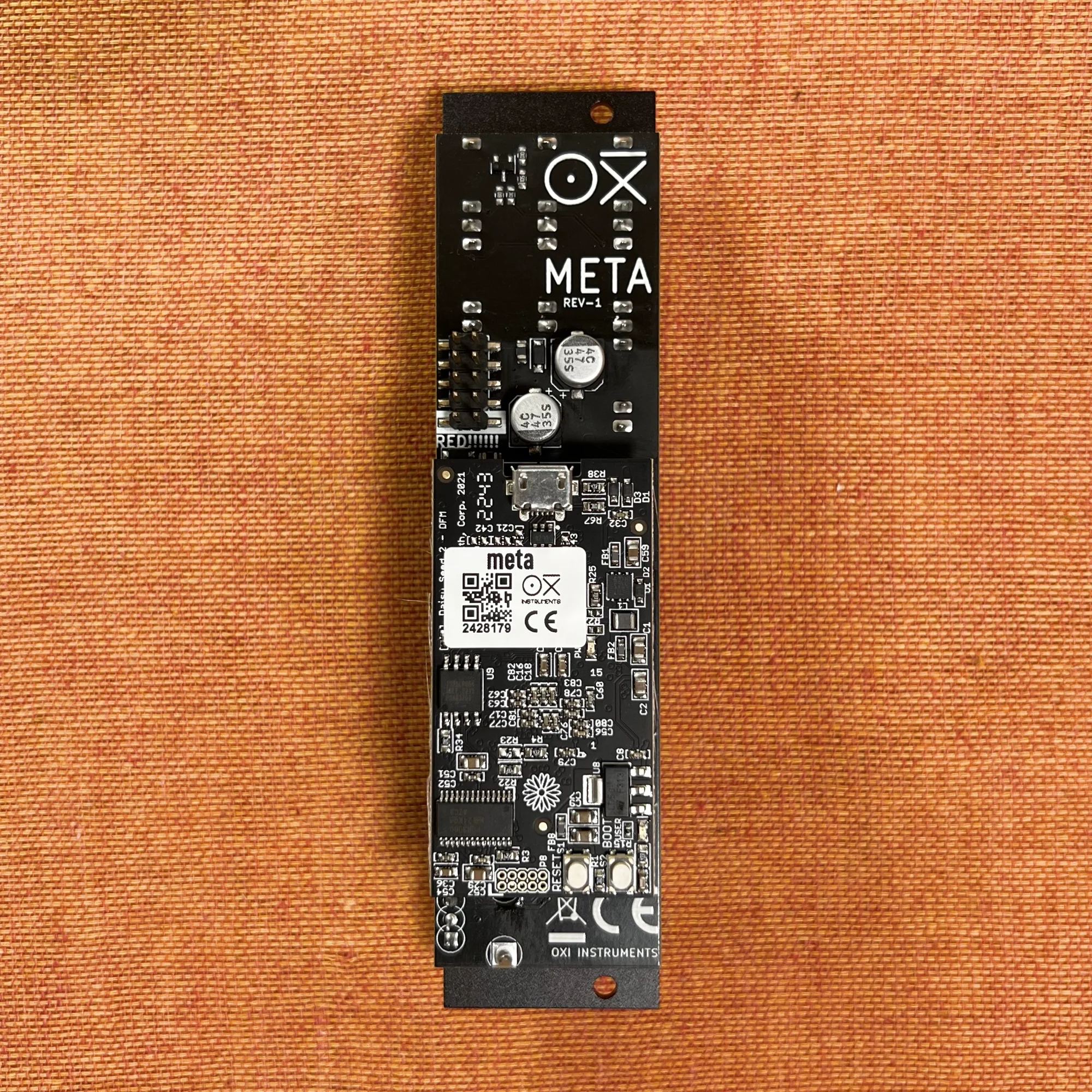
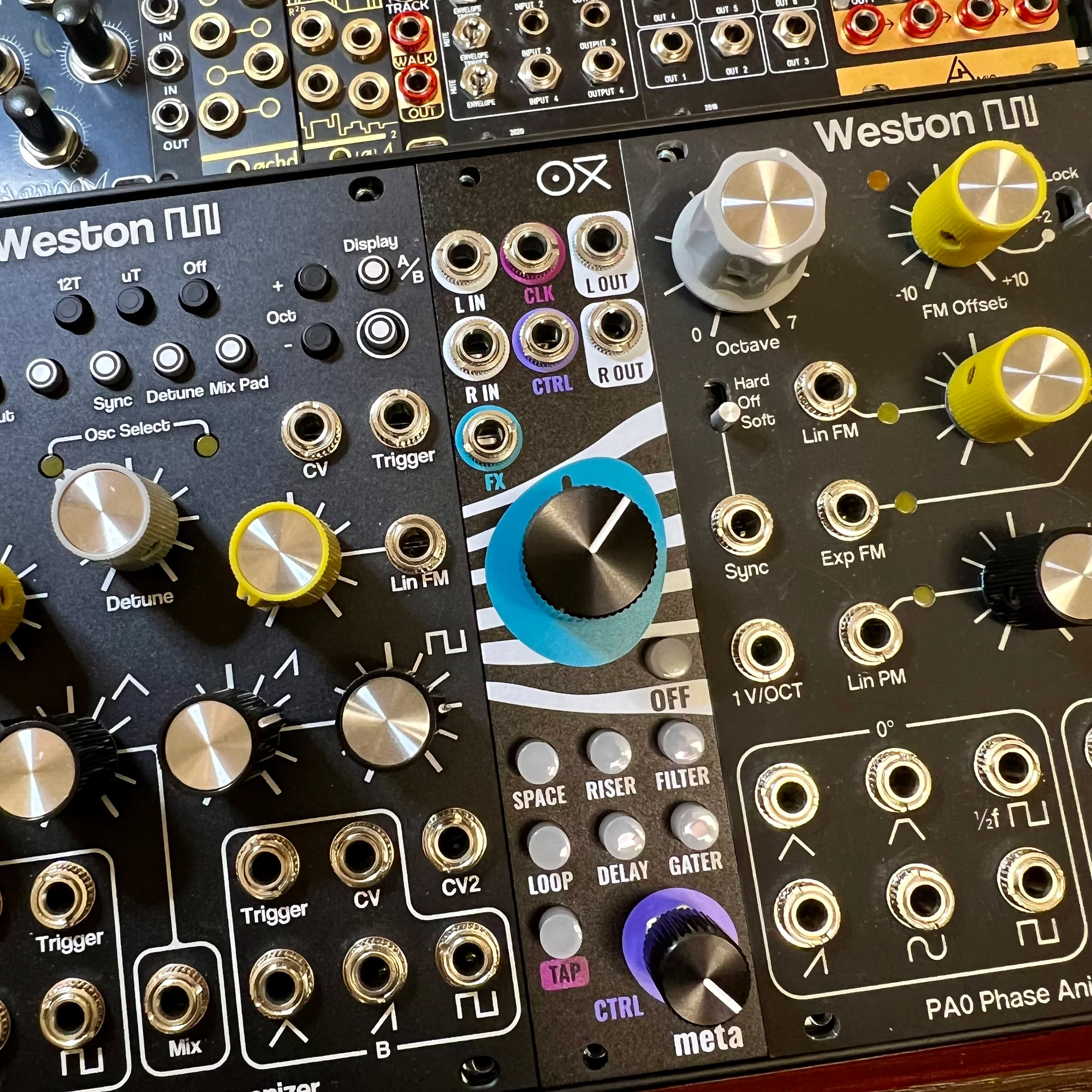
OXI Meta Features
OXI Meta is a stereo effects module equipped with 6 transition effects optimized for live performance. What makes OXI Meta distinctive can be summed up in two points:
- Specialization in transition effects
- Interface optimized for live performance
While there are many effects modules out there, these two characteristics make Meta a truly unique product.
OXI Meta Walkthrough Video
I created a walkthrough video for this OXI Meta. It’s a casual demonstration while operating OXI Meta, so if you’d like to hear how it sounds and see it in action, please use it as a reference.
OXI Meta’s Built-in Effects
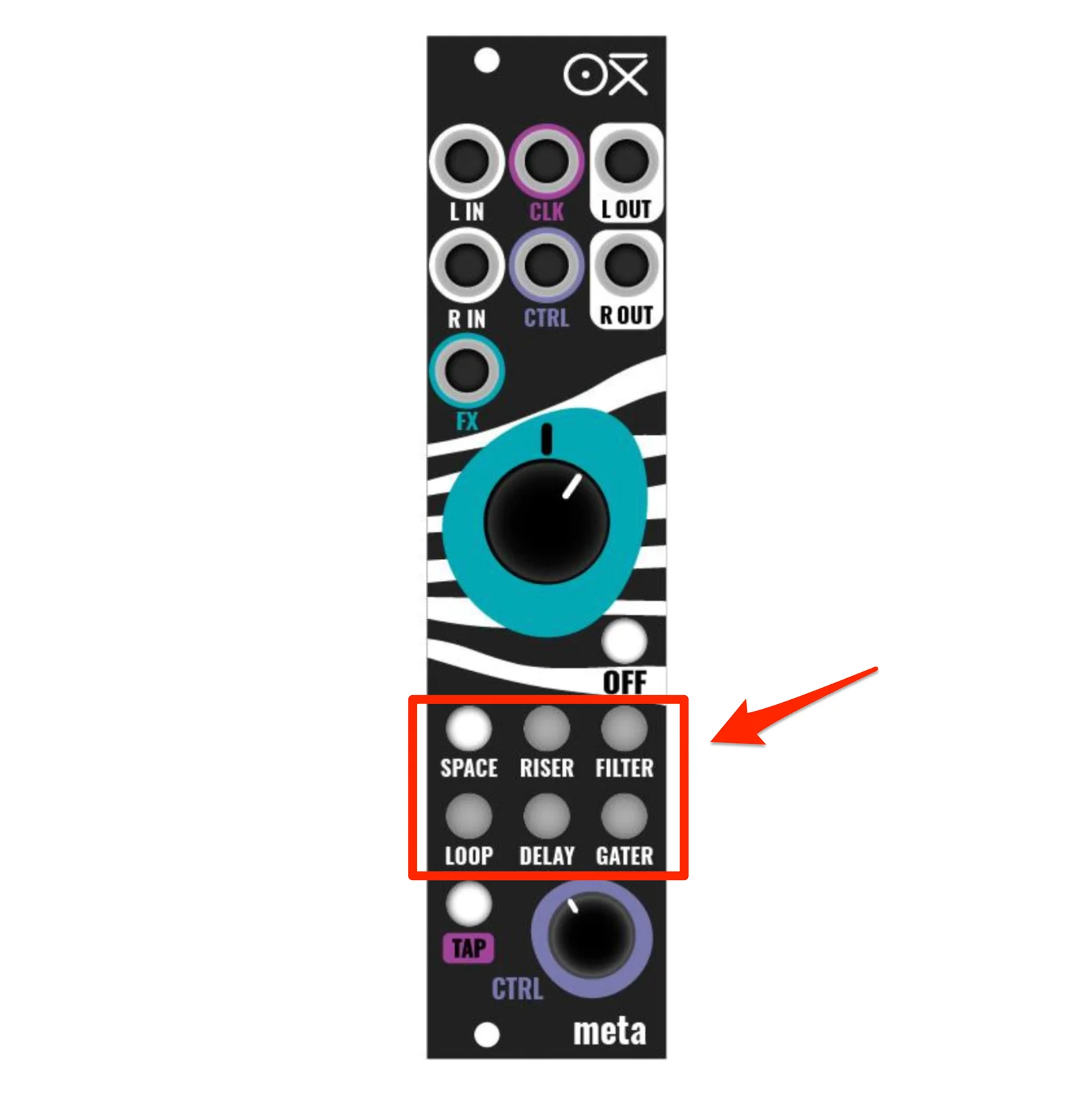
OXI Meta has the following 6 built-in effects. These are switched using the buttons at the bottom of the module.
- Space
- Riser
- DJ Filter
- Loop/Beat-Repeat
- Delay
- Gater
Here’s what each effect does:
- Space
- 2 types of Reverb: Shimmer / Long Tail
- Riser
- 2 types of High Pass Filter / Reverb / Noise mixed effect
- DJ Filter
- High Pass Filter / Low Pass Filter tuned for transitions
- Loop/Beat-Repeat
- 2 types of Clock-syncable looper
- Delay
- 2 types of Clock Delay with High Pass Filter / Low Pass Filter
- Gater
- Clock-synced volume-cutting Gate effect. With snare roll addition / Reverb + High Pass Filter addition
Seeing (hearing?) is believing, so please check out the official demo video from OXI Instruments below. Those kinds of transition effects you often hear — you know them when you hear them, but replicating them on modular alone can be quite a bit of work.
Or if you’re someone who thought “This is exactly what I wanted!”, then Meta might feel like the Missing Module of the modular world. At the very least, OXI Instruments seems to have developed this module with exactly that intention. It gives the impression of “This didn’t exist but we wanted it, so we made it.”
Ready-to-Use Effects+
A key point of OXI Meta is that each of the 6 effects is not a simple effect, but rather a composite effect, combining multiple elements specifically crafted for transitions.
For example, this is particularly evident with the Gater effect — when you turn the FX knob (the large central knob) to the left, a snare roll is added along with reverb. Of course, without feeding any drum source whatsoever.
Similarly, the Riser effect has similar creative touches. Turning the FX knob to the right applies Reverb + High Pass Filter along with added noise. Turning it to the left produces an effect that sounds like a rising-pitch saw wave. Please check the videos mentioned above for these.
And the fact that many of these effects can be Clock-synced is another user-friendly point. Clock-synced snare rolls, delays, and gate effects can each be quite laborious to set up on your own, but Meta packs in these thoughtfully crafted effects.
It’s more than just effects — since it’s adding snares and oscillators, it’s really effects-and-then-some.
Performance-Oriented Interface
While the crafted effects are a major feature, the user-friendly interface designed for transitions is also a significant point.
Instant Effect Bypass with the OFF Button
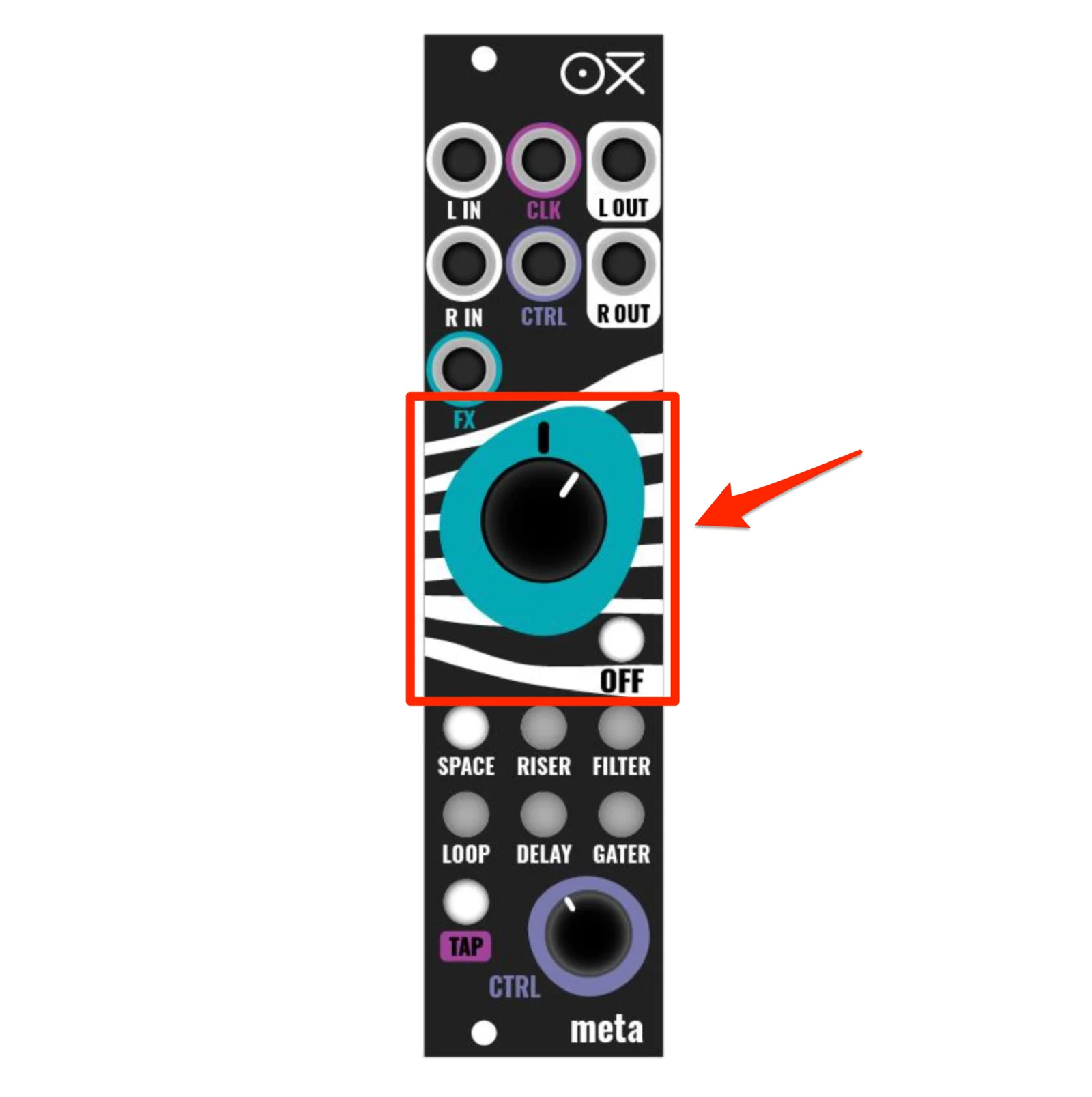
For example, when you select DJ Filter and turn the FX knob clockwise, it raises the High Pass Filter frequency, cutting the low end. After cutting the lows this way, pressing the OFF button instantly returns to a state with no High Pass Filter applied. This is a transition technique commonly used in dance music like techno and trance — the “drop back after the break” move — but reproducing this with modules alone requires a fair bit of work.
For example, you’d need to split the oscillator output in two, apply a High Pass Filter to one side, leave the other as-is, and set up a way to instantly switch between these two outputs with a button.
Among the modules we carry, you could probably achieve this by combining the ADDAC305 Manual Latches, ADDAC203 REV.02 CV Mapping, and ADDAC604 Dual Filter, and trying those kinds of patches is certainly part of the fun of modular synths. But having it all in a single, compact 6HP module less than 3cm deep is undeniably convenient.
And this module contains 6 such effects, so if you tried to recreate each one through patching, you’d end up needing quite a few modules.
Design Considerations for Live Performance
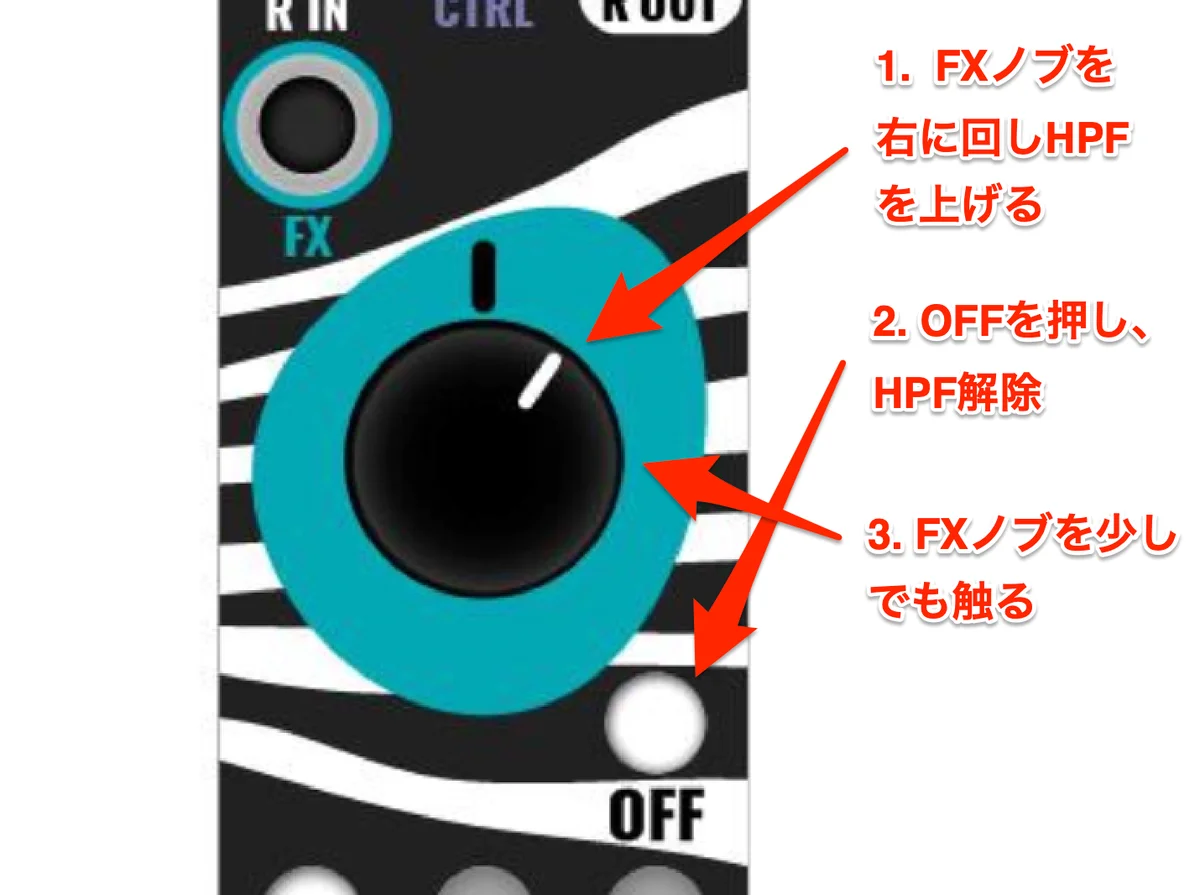
Let me get into some more detailed discussion here.
So you’ve applied a High Pass Filter and pressed the OFF button. When you pressed OFF, the High Pass Filter was disengaged, but the FX knob is still turned to the right. Imagine the state shown in the diagram. In this knob position, the High Pass Filter is bypassed.
Normally, you’d expect that moving the knob even slightly in this state would immediately reapply the High Pass Filter. That makes sense — the knob is turned substantially to the right. But in Meta, that doesn’t happen. The High Pass Filter won’t re-engage until the FX knob is returned to center, at which point it becomes active again.
This behavior was also seen in OXI Instruments’ Coral implementation, where a single knob isn’t simply mapped 1:1 to a parameter — it’s a thoughtful, digital-module-specific design that accounts for the fact that parameters may also be changed by buttons or other factors. It’s subtle, but you can sense OXI Instruments’ commitment to carefully crafting their digital modules.
My Experience with Transition Effects
As the author Takazudo, I wanted to achieve these kinds of transitions with modules, and since I normally use an iPad + Expert Sleepers ES-9 as my final mixer, I was using a combination of Launchpad, miRack, and Koala FX to set up Clock-synced transition effect ON/OFF switching as part of my daily workflow. So when Meta was released, my reaction was “This is exactly what I wanted since no such module existed!” I highly recommend this module to anyone who wants to create dance music-style transitions on modular.
Also, the Riser effect built into this module has a DAW VST plugin called ENDLESS SMILE that does similar composite processing. It might be interesting to check it out for reference.
Combining with OXI ONE and OXI Coral
Something I feel from working with OXI Instruments products is that OXI Instruments has been systematically designing and releasing modules one after another according to their vision.
When OXI ONE was first released, it was a sequencer. Then they designed the perfectly matching OXI Coral, which clearly gives the impression of being created as a perfect-match combination with OXI ONE. That OXI Coral also has various built-in effects, but everything is MIDI-controlled and all operations must be performed within OXI ONE. As the author Takazudo, I regularly use OXI ONE, and while it’s a highly capable sequencer, no matter what, it only has OXI ONE’s pads and 4 knobs as its interface, so not everything can be done with a single button press.
The addition of OXI Meta feels exactly like being told “This is what you need to complete the picture.” Not just in combination with OXI products, but by inserting OXI Meta just before your master output and operating it when you want to add transitions, you can create story-driven progressions.
Videos Using OXI Meta
Below is a video where I (Takazudo) tried using it myself. In this video, I’m running Weston Precision Audio’s AD110 and B2 and feeding them together into OXI Meta. You can see how OXI Meta alone can add various types of variation.
Below is a similar setup with AD110 and B2 fed into OXI Meta, applying effects during transitions.
The following is a similar setup with a long techno session, making heavy use of OXI Meta for transitions.
Other Reference Videos
Below is a walkthrough video of OXI Meta by DivKid. He has prepared demos for each individual effect and explains them. If you want to understand all the features, this is a great one to watch.
Below is an OXI Meta workout video by Red Means Recording: Jeremy. It’s simply fun, so please check it out.
Manual
The manual for this product can be downloaded from the OXI Instruments official site below. (English only)
Most features are self-explanatory, but one easily overlooked point: holding the OFF button for 5 seconds causes the button to flash, entering input gain adjustment mode. In this state, turning the CTRL knob adjusts the input gain, so please try this if the volume feels too low.
Included Accessories
- Power ribbon cable
- Screws
Technical Specifications
- Width: 6HP
- Depth: 22mm
- Power consumption: 110mA +12V / 20mA -12V / 0mA 5V
- Audio I/O
- 2x Mono DC coupled outputs (+/-5V)
- 2x Mono AC coupled inputs (+/-5V)
- CV inputs
- 2x CV inputs +/-5V (+/-10V max)
- 1x Clock input
OXI Instrumentsについて
OXI Instruments はスペインのバルセロナを拠点とする電子楽器メーカーです。
OXI ONEを代表とし、デジタル技術を活かしたハイスペックで利便性の高いモジュールもリリースしているのが特徴です。
オマケ: 電氣美術研究會モジュラー小物セット付き

モジュラーシンセをもっと多くの方に触って欲しいという願いの元、電氣美術研究會さまにご協力頂き、モジュラー小物セットを本商品にバンドルさせて販売させていただいております。
パッチケーブルや電源ケーブル、ドレスナットのサンプルセット、モノラルスプリッターなど、内容は時期に応じて変化します。商品に同梱しますので是非お試し下さい!
That concludes our introduction of the OXI Instruments OXI Meta.
We hope you find this helpful.